App Store Metadata Management for Indie iOS Developers
App Store metadata management is easy to underestimate until a release is almost ready.
The build is uploaded. TestFlight feedback is handled. The final tasks are done. Then App Store Connect asks for the details that shape how people find, understand, and trust the update: app name, subtitle, keywords, description, screenshots, promotional text, release notes, privacy links, and reviewer context.
For indie iOS developers, the problem is not only writing better metadata. It is keeping metadata connected to the release that changed the app.
LaunchBuddy is built for that workflow. With App Store Connect integration and AI features, it helps keep metadata review close to tasks, releases, checklists, TestFlight feedback, and App Store submission status.
What counts as App Store metadata?
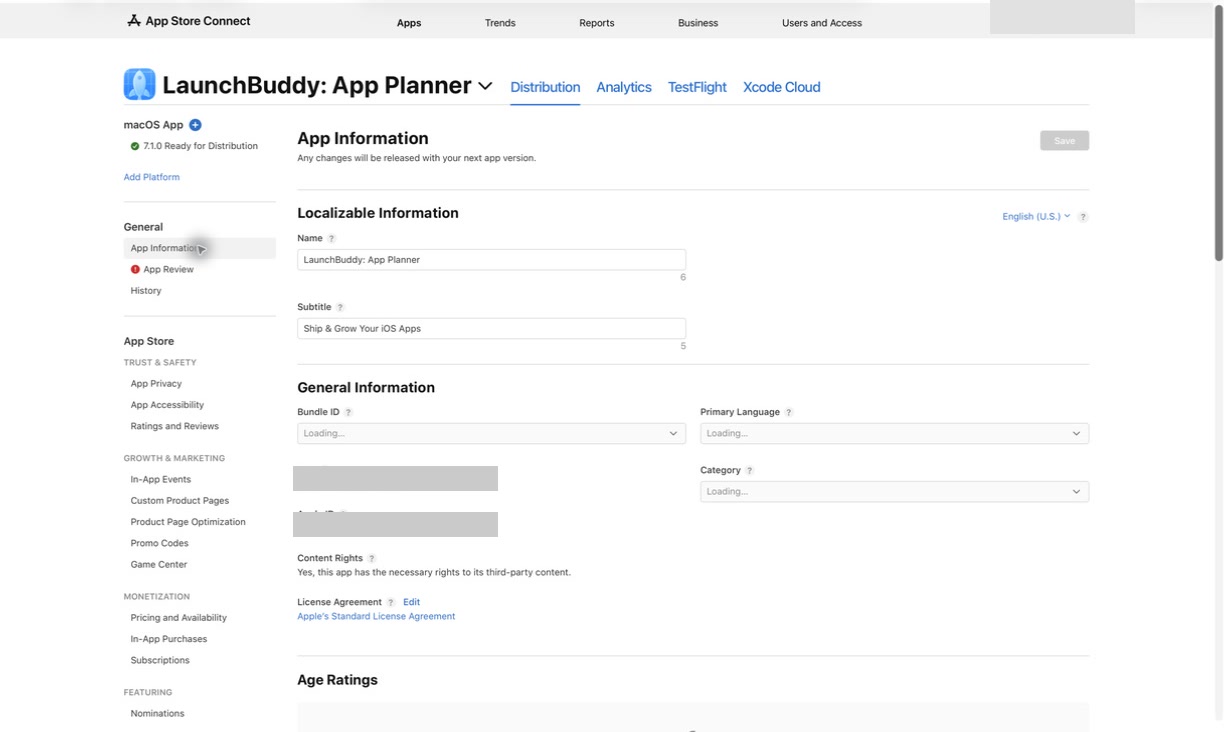
App Store metadata is the information that describes, positions, and supports your app in App Store Connect.
Some fields affect how users discover and evaluate the app:
- App name
- Subtitle
- Keyword field
- Description
- Promotional text
- Screenshots
- App previews
- Category
- Localized product page text
Some fields support trust, compliance, and review:
- Support URL
- Marketing URL
- Privacy policy URL
- App Privacy details
- Age rating
- Copyright
- App Review notes
- Demo account details, if needed
Some metadata changes are visible to users. Others are hidden but still important. The keyword field, for example, is not shown directly on the product page, but it helps Apple understand which searches may be relevant. App Review notes are not marketing copy, but they can decide whether Apple can test a gated feature without delay.
Managing metadata well means treating all of those fields as part of the release system.
Start from the release, not the metadata form
The best App Store metadata management starts before you open App Store Connect.
For each release, write down:
- What changed in the app
- Which user problem the update solves
- Which features are new, improved, or removed
- Which TestFlight feedback affected the final build
- Which screenshots might now be stale
- Which App Store claims need review
- Which keywords or positioning ideas are worth testing
- Which reviewer notes are needed for Apple
This keeps metadata honest. If the release only fixes a sync bug, you may not need a major description rewrite. If the release adds a new planning feature, the subtitle, screenshots, description, and keyword field may deserve another look.
In LaunchBuddy, the release can become the container for this context. Tasks, checklists, App Store Connect status, and AI drafts can all point back to the version you are preparing.
Keep App Store metadata consistent with the selected build
The selected build is the anchor for metadata review. Every claim should match the version users will actually receive.
Before submission, check:
- Does the app name still fit the product?
- Does the subtitle describe the current value clearly?
- Does the keyword field avoid irrelevant or duplicated terms?
- Does the first paragraph of the description match the current app?
- Does promotional text describe something timely and true?
- Do screenshots show screens that still exist?
- Do app previews match current behavior?
- Do release notes describe the selected build, not an earlier plan?
- Do App Review notes explain gated or non-obvious flows?
This is where metadata management and release management overlap. If build 210 had one feature, build 211 removed it, and build 212 changed screenshots again, metadata cannot be reviewed in isolation. It needs to follow the release history.
For a broader status workflow, read the App Store submission tracker. Submission status and metadata accuracy should move together.
Manage each metadata field by job
Each App Store metadata field has a different job. Treating them all like generic marketing copy usually creates weaker results.
App name and subtitle
The app name and subtitle are highly visible. They should explain what the app is and why it is useful without becoming stuffed with unrelated keywords.
Review them when:
- Your app’s core positioning changes
- A feature becomes the main reason people use the app
- Search terms in the subtitle no longer match the product
- You are duplicating words that could be used elsewhere
Keyword field
The keyword field is compact and easy to waste. Apple limits it to 100 bytes, so duplicates, spaces after commas, broad terms, and irrelevant words can cost valuable room.
A good keyword workflow should:
- Start with release context
- Remove words already covered by the app name or subtitle
- Avoid competitor names and irrelevant terms
- Balance relevance with competitiveness
- Save the final keyword string with the release
For a deeper field-specific guide, read the App Store keyword field.
Description
The description should explain the app’s value clearly. It does not need to change for every bug fix, but it should be reviewed when the release changes the app’s main promise.
Check whether:
- The opening lines still describe the current product
- Feature lists are accurate
- Old limitations or discontinued features are removed
- Subscription, account, or platform details are up to date
- The tone matches the app users actually experience
Promotional text
Promotional text is useful for timely updates because it can be changed without submitting a new app version. It should support the release, not become a place to stuff keywords.
Use it for:
- A new feature highlight
- A seasonal campaign
- A launch announcement
- A limited-time message
- A short note about an important improvement
Screenshots and app previews
Screenshots are metadata too. They often communicate the product faster than the description.
Review screenshots when:
- Navigation changed
- A primary screen was redesigned
- A feature moved or was renamed
- A paywall, onboarding flow, or account screen changed
- The first screenshot no longer shows the strongest benefit
- Localized text needs an update
If screenshots are not changing, still add a checklist item to verify that they match the selected build.
Release notes
Release notes are part of metadata because they appear on the App Store product page and explain what changed in the version.
Good release notes should:
- Lead with the most important user-facing change
- Avoid internal implementation details
- Match the selected build
- Mention specific fixes when useful
- Avoid vague copy like “bug fixes and performance improvements”
- Save the final copy with the release
If release notes are the bottleneck, use the App Store release notes generator workflow.
Use AI for metadata drafts, not blind publishing
AI can make App Store metadata management much easier when it works from structured release context.
AI can help draft:
- App Store descriptions
- Subtitle alternatives
- Keyword candidates
- Release notes
- Promotional text options
- App Review note summaries
- Screenshot caption ideas
- Localized metadata starting points
But AI should not be treated as the final authority. It can invent features, overstate benefits, use unsafe keywords, or produce copy that sounds polished but does not match the build.
A safer AI metadata workflow looks like this:
1. Collect release context
   - Selected build
   - Completed tasks
   - TestFlight feedback
   - User-facing changes
   - Existing metadata

2. Generate options
   - Description ideas
   - Subtitle alternatives
   - Keyword candidates
   - Release notes
   - Promotional text

3. Review manually
   - Remove unsupported claims
   - Check App Store field limits
   - Verify keyword relevance
   - Confirm screenshots match the build
   - Keep App Review notes factual

4. Save decisions
   - Final metadata
   - Reason for changes
   - Follow-up ideas for next release
LaunchBuddy’s AI features are useful here because the release plan already contains the facts. Better inputs create better drafts, and the final review stays in the developer’s hands.
Make metadata review part of the release checklist
Metadata management becomes more reliable when it is a checklist, not a memory test.
Use a checklist like this for releases where App Store metadata might change:
Release:
Version:
Selected build:

Release context:
- Main user-facing change:
- TestFlight feedback reviewed:
- Features moved out of scope:
- Positioning changes:

Discovery metadata:
- App name reviewed:
- Subtitle reviewed:
- Keyword field reviewed:
- Category checked:
- Locales affected:

Product page:
- Description reviewed:
- Promotional text reviewed:
- Screenshots verified:
- App previews verified:
- Support and marketing URLs checked:

Submission metadata:
- Release notes drafted:
- Release notes verified against selected build:
- App Review notes updated:
- Demo account details checked:
- Privacy policy URL checked:
- App Privacy and age rating reviewed:

AI-assisted work:
- AI-generated metadata reviewed manually:
- Unsupported claims removed:
- Final copy saved with release:

Follow-up:
- App Analytics review task created:
- Keyword test notes saved:
- Screenshot ideas saved for next release:
This checklist is not about making every release heavier. It is about making the important questions visible before the version goes to App Review.
Track metadata decisions over time
Metadata work improves when you can see what changed and why.
For each meaningful update, save:
- Previous keyword field
- New keyword field
- Description changes
- Subtitle changes
- Screenshot changes
- Release notes used
- Reason for the update
- Search or conversion metrics to review later
- Ideas that should be tested in a future release
This history prevents the common indie developer loop: changing metadata, forgetting the reason, then guessing again three releases later.
It also makes AI more useful. If LaunchBuddy can keep final metadata decisions beside the release, future drafts can start from real history instead of a blank prompt.
What App Store metadata management looks like in practice
Imagine you are shipping version 3.0 of an indie habit tracker. The release adds a calendar view, improves reminders, and fixes a sync issue reported during TestFlight.
Without a metadata workflow, you might:
- Upload the final build
- Paste quick release notes into App Store Connect
- Leave screenshots from the old dashboard
- Keep a keyword field that does not mention calendar or reminders
- Forget to update the description’s feature list
- Copy old App Review notes
- Promise a sync improvement without verifying the final build
With App Store metadata management, the release is clearer:
- The calendar feature becomes a screenshot and keyword review task
- Reminder improvements inform release notes and description edits
- TestFlight sync feedback is attached to the release
- AI drafts metadata options from completed work
- The final keyword field is checked against the app name and subtitle
- Screenshots are verified against the selected build
- App Review notes are refreshed only where needed
- Follow-up ASO review is scheduled after launch
The release did not become more complicated. The metadata simply became connected to the work that changed it.
How LaunchBuddy helps manage App Store metadata
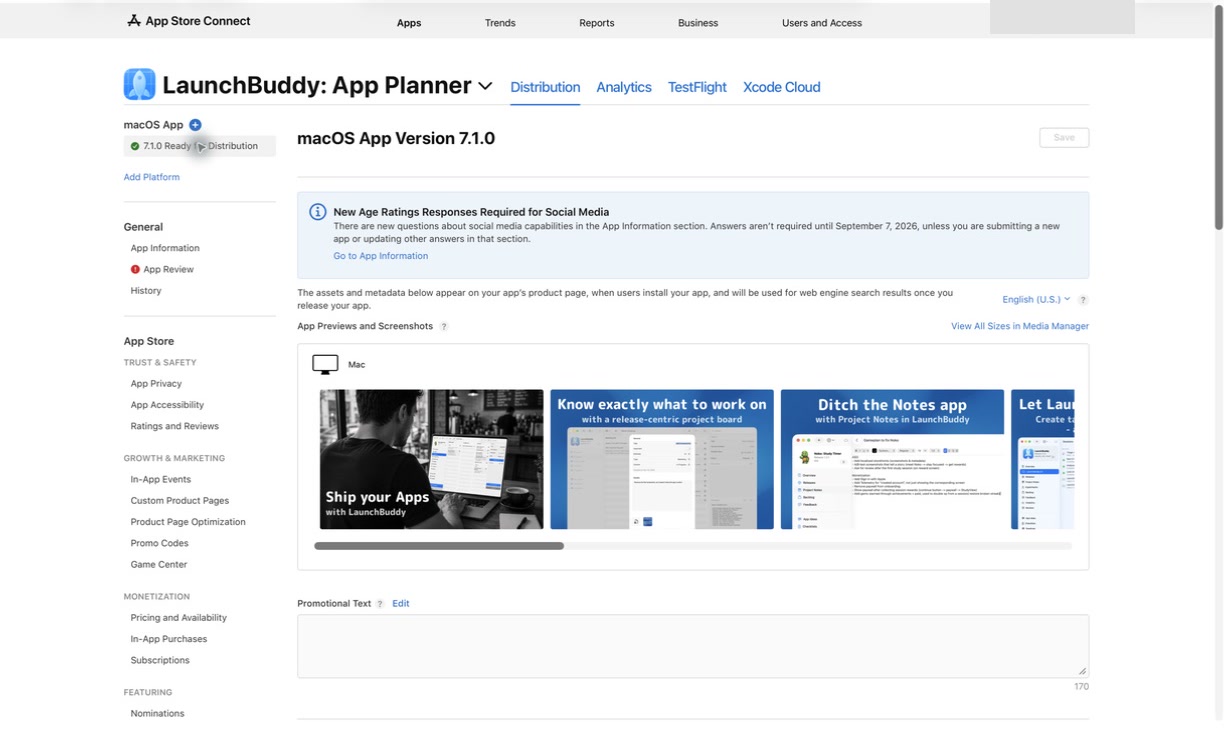
LaunchBuddy is not trying to replace App Store Connect, App Analytics, Xcode, or specialized ASO tools. Those tools still matter.
LaunchBuddy helps with the release-management layer around metadata:
- Organize metadata tasks by app and release
- Keep App Store Connect status close to the release plan
- Reuse metadata and submission checklists
- Track TestFlight feedback that affects positioning
- Use AI to draft release notes, descriptions, and keyword ideas
- Save final metadata decisions with the version
- Create follow-up tasks after launch
- Keep the workflow available across iPhone and Mac
That is why “App Store metadata management” is a strong keyword for LaunchBuddy. The problem is not just filling out fields. The problem is knowing which fields need attention for this specific release, what changed, and what should be checked next.
Ship with metadata you can trust
App Store metadata management is the bridge between building an app and presenting it clearly on the App Store.
Start with the release. Confirm the selected build. Review the fields that affect discovery, conversion, and App Review. Use AI for drafts, but verify every claim manually. Save the final decisions so the next update starts with context instead of guesswork.
That is the workflow LaunchBuddy is designed to support: calmer App Store releases, clearer metadata, and less context switching for indie iOS developers.