TestFlight Feedback Management for Indie iOS Developers
TestFlight feedback management is the workflow that turns beta tester comments, screenshots, crash reports, and build context into clear release decisions.
For indie iOS developers, this matters because TestFlight feedback rarely arrives at a calm moment. You may be preparing App Store metadata, checking whether the latest build processed, drafting release notes, fixing one last bug, and deciding whether the version is ready for App Review. A useful comment from a tester can easily become another tab, email, screenshot, or memory fragment.
LaunchBuddy is built for that messy middle stage of shipping. It helps iOS developers organize projects, tasks, releases, and checklists, and with App Store Connect integration and AI features, it can keep beta feedback connected to the version you are actually preparing.
Why TestFlight feedback needs a workflow
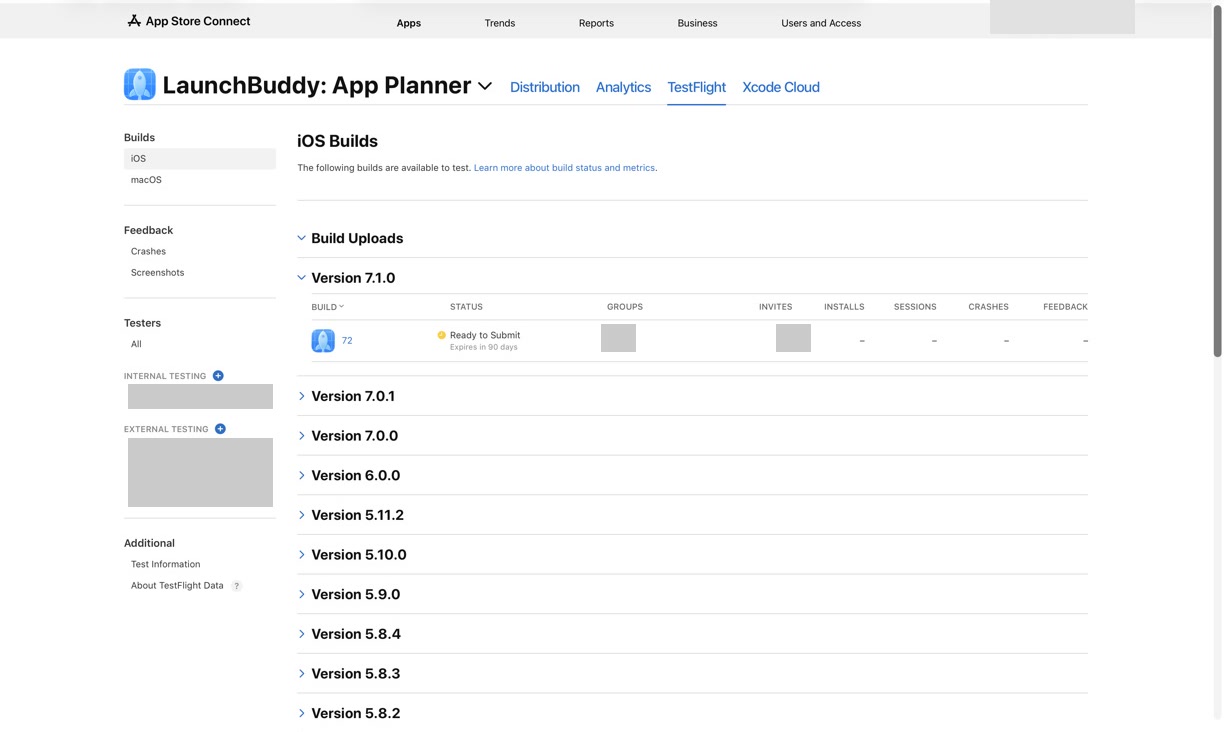
TestFlight is great at collecting beta feedback. Testers can send screenshots, write comments, and provide crash context. App Store Connect can show feedback by app, platform, build, and version, and newer App Store Connect API and webhook capabilities make it easier to receive feedback-related events programmatically.
But collecting feedback is not the same thing as managing it.
Without a workflow, common problems appear:
- A screenshot feedback item is noticed, but never becomes a task
- A crash report is fixed, but release notes are not updated
- A tester comment changes the scope, but the release checklist still says ready
- Feedback from build 42 gets mixed with feedback from build 43
- A useful suggestion disappears into email or chat
- AI summarizes feedback that is not tied to the selected release
- App Store screenshots or metadata no longer match what testers actually saw
The goal of TestFlight feedback management is to make every useful signal land somewhere visible.
Start with the release, not the feedback inbox
The best place to manage TestFlight feedback is the release version, not a generic inbox.
Before inviting testers or reviewing their comments, define the release context:
- Version number
- Current TestFlight build
- Release goal
- Features in scope
- Bug fixes in scope
- Known risks
- Test areas you want feedback on
- App Store metadata that may change
- Criteria for submitting to App Review
This gives each piece of feedback a decision boundary. If a tester reports a crash in the main onboarding flow, it probably blocks the release. If a tester suggests a future export feature, it may be valuable but should not derail the current version.
In LaunchBuddy, the release can act as the home for this context. Instead of treating feedback as a separate stream, you can connect it to the tasks, checklist items, and App Store Connect work that determine whether the version is ready.
For the broader beta workflow, read TestFlight release management. Feedback management is the triage layer inside that larger release process.
Know what kind of TestFlight feedback you are reviewing
Not all feedback should be handled the same way. A good triage pass starts by identifying the type of signal.
Screenshot feedback
Screenshot feedback is useful for UI problems, confusing copy, layout bugs, and moments where the tester can point to what felt wrong.
For each screenshot, ask:
- Which build produced this?
- Which screen or flow is affected?
- Is the issue visible in the selected release candidate?
- Does it confuse users, block a task, or only need polish?
- Does it require updated screenshots, onboarding text, or release notes?
The screenshot itself is evidence, but the release decision still needs to be captured as a task, note, or follow-up.
Crash feedback
Crash feedback deserves a faster path. A crash may not always block release, but it should always be reviewed intentionally.
For each crash, capture:
- Build number
- Device and OS version, if available
- Steps or context from the tester
- Whether the crash is reproducible
- Whether it affects a core flow
- Whether the fix is included in a later build
If a crash fix ships in the release, make sure the final build is selected in App Store Connect and any user-facing release notes are accurate.
Written comments
Written comments can be the hardest to triage because they mix bugs, feature requests, confusion, and opinion.
Sort comments into release-focused buckets:
- Blocks this release
- Should be fixed soon, but not before submission
- Useful insight for product direction
- Copy or onboarding confusion
- App Store metadata or screenshot signal
- No action needed
The important habit is not to treat every comment as a task. The important habit is to make the decision visible.
Use App Store Connect feedback events without losing context
Apple’s App Store Connect documentation explains that developers can view tester feedback inside App Store Connect, including screenshots, comments, and crash feedback. Apple has also introduced App Store Connect webhook events and Feedback API capabilities for workflows where a system should react when new TestFlight feedback is submitted.
That is valuable because feedback often loses value when it is discovered late. A webhook can notify your system that new feedback exists. An API can help retrieve the details. A notification can bring it to your attention faster.
But the automation layer still needs a management layer.
When TestFlight feedback arrives, your workflow should answer:
- Which app and version does this feedback belong to?
- Which build produced it?
- Has a task been created or updated?
- Is it blocking App Review submission?
- Does it affect release notes, screenshots, metadata, or review notes?
- Was it resolved in a later build?
- Should it become follow-up work after launch?
If those answers live only in App Store Connect, Slack, email, or a webhook log, the release still depends on memory. LaunchBuddy’s role is to keep the feedback decision next to the release plan, where it can affect the checklist before submission.
A practical TestFlight feedback triage workflow
Here is a repeatable workflow for indie developers managing beta feedback before an App Store release.
1. Define what testers should test
Before feedback arrives, tell testers what matters. A vague beta produces vague feedback.
For each build, write a short testing brief:
Version:
Build:
Primary goal:

Please test:
- New or changed flows:
- Bug fixes to verify:
- Device or account states to check:
- Known issues:

Please report:
- Crashes
- Confusing screens
- Incorrect copy
- Broken purchase, login, sync, or onboarding behavior
- Anything that would make you hesitate before release
Clear testing notes make feedback easier to triage because you can compare each comment against the release goal.
2. Review feedback by build
Do not mix all TestFlight feedback into one pile. Review it by build and version.
Track:
- Build where feedback was submitted
- Whether a newer build already addresses it
- Whether the feedback still applies to the release candidate
- Whether the final App Store build includes the fix
This prevents a common release mistake: delaying submission because of an issue that was already fixed, or submitting because you forgot that the current build reintroduced a problem.
3. Convert feedback into release decisions
Every meaningful feedback item should end in one of these decisions:
| Feedback decision | What it means |
|---|---|
| Blocker | Must be fixed or intentionally removed from scope before App Review |
| Current release task | Should be fixed in this version, but may not block all testing |
| Follow-up task | Valuable, but belongs in a later release |
| Metadata task | Affects screenshots, description, keywords, promotional text, or positioning |
| Release notes input | Helps explain what changed or what was fixed |
| No action | Reviewed and intentionally not acted on |
The decision matters more than the storage location. A screenshot is not managed until the release has a next step.
4. Check release notes against feedback
Beta feedback often changes what the update actually contains.
Before submitting, ask:
- Did testers find a bug that changed the final scope?
- Did a feature get removed after beta testing?
- Did a fix make the release more important to explain?
- Did tester confusion reveal a better way to describe the update?
- Are the release notes still true for the selected build?
If you use AI to draft release notes, use feedback as source material, not as permission to exaggerate. A tester saying “this feels faster” is not the same as a measured performance improvement. Keep the copy specific and true.
For a deeper writing workflow, read AI release notes for iOS apps.
5. Update App Store metadata when feedback changes positioning
TestFlight feedback is not only bug input. It can reveal how users understand the app.
Watch for comments like:
- “I did not know this feature existed.”
- “I expected this button to do something else.”
- “The screenshot made me think the app worked differently.”
- “This subscription benefit was not clear.”
- “The onboarding copy explains it better than the App Store page.”
Those comments may become metadata tasks. You might update screenshots, rewrite the first paragraph of the description, adjust promotional text, or revisit ASO keywords for the next release.
If the feedback affects discoverability or metadata, connect it to your release checklist instead of leaving it as a product note. For keyword-specific work, read the guide to the App Store keyword field.
6. Save follow-up work before launch
Not every useful beta comment should block release. Indie developers often need to ship a focused version instead of turning every suggestion into scope creep.
Before submitting, create follow-up tasks for:
- Non-blocking usability improvements
- Future feature requests
- Copy improvements that need more thought
- Edge cases that require a bigger fix
- Localization or accessibility improvements
- App Store metadata experiments
This gives you permission to ship without losing the feedback. The current release stays focused, and the next release starts with real tester insight.
Use AI to summarize feedback carefully
AI can help with TestFlight feedback management when the input is structured. It can group similar comments, summarize themes, draft follow-up tasks, and turn resolved issues into release note candidates.
It should not decide what is true, what is safe, or what should ship.
A practical AI prompt could look like this:
You are helping triage TestFlight feedback for an iOS app release.

Release context:
- App:
- Version:
- Current release candidate build:
- Release goal:
- Completed tasks:
- Known exclusions:

Feedback:
- [Paste feedback items with build numbers]

Create:
1. Blocking issues to review before App Review.
2. Current-release tasks.
3. Follow-up tasks for a later release.
4. Metadata or screenshot updates suggested by the feedback.
5. Release note candidates based only on completed work.

Rules:
- Do not invent features or fixes.
- Do not treat unclear feedback as confirmed bugs.
- Keep every item tied to a build or version when possible.
- Flag anything that needs human verification.
LaunchBuddy’s AI features are most useful when the release already contains the source material. The better your tasks, notes, and checklist reflect the real beta, the better AI can help summarize without drifting away from the truth.
A TestFlight feedback management checklist
Use this checklist before moving from beta testing to App Store submission:
Release context:
- Version defined
- Release goal documented
- Current TestFlight build identified
- Final App Store build selected or pending

Feedback review:
- Screenshot feedback reviewed
- Crash feedback reviewed
- Written comments reviewed
- Feedback grouped by build
- Duplicate feedback grouped

Release decisions:
- Blockers identified
- Blocking tasks resolved or deferred with a clear reason
- Follow-up tasks created
- Metadata tasks created
- Release notes updated

App Store readiness:
- Selected build matches completed tasks
- Screenshots still match the app
- App Store description and promotional text still fit
- App Review notes updated if needed
- Submission checklist complete

Post-launch:
- Feedback themes saved
- Next-release tasks created
- Final release notes saved with the version
This checklist does not replace App Store Connect. It gives the feedback a path from tester signal to release decision.
How LaunchBuddy helps manage TestFlight feedback
LaunchBuddy is designed for indie iOS developers who need a lightweight release system around Xcode and App Store Connect.
For TestFlight feedback management, that means:
- Keeping release tasks tied to the version you plan to ship
- Connecting beta feedback decisions to the release checklist
- Tracking App Store Connect work close to development tasks
- Using AI to summarize feedback themes and draft release copy
- Creating follow-up tasks without derailing the current release
- Keeping project and release context available across iPhone and Mac
The result is a calmer beta workflow. TestFlight remains the place where testers use builds and submit feedback. App Store Connect remains the source of truth for Apple’s submission process. LaunchBuddy gives the release a workspace where feedback becomes visible, actionable, and easier to carry into the next version.
Turn beta feedback into a better release
TestFlight feedback management is not about adding heavy process to indie development. It is about making sure useful feedback does not disappear before it improves the release.
Start with the version. Review feedback by build. Convert every meaningful comment, screenshot, and crash into a clear decision. Use AI for summaries and drafts, but verify everything against the selected build. Then submit to App Review with more confidence and less context switching.
That is the kind of focused release workflow LaunchBuddy is built to support.