LaunchBuddy vs Fastlane vs asc CLI: Which iOS Release Workflow Fits?
Choosing between LaunchBuddy, Fastlane, and asc CLI is easier once you stop treating them as three versions of the same tool. They solve different parts of shipping an iOS app.
LaunchBuddy is a visual, app-centric workspace for ideas, releases, tasks, reusable checklists, selected App Store Connect data, and post-release learning. Fastlane is an established open-source automation toolkit that can build, sign, test, capture screenshots, and deploy mobile apps through repeatable lanes. The asc CLI covered here is rorkai/App-Store-Connect-CLI, an independent, community-driven, open-source Go CLI for the App Store Connect API. Its own documentation explicitly says it is unofficial and is not affiliated with, endorsed by, or sponsored by Apple.
The early verdict
For most indie developers, this is not a winner-takes-all choice:
- Choose LaunchBuddy when the missing layer is product and release context: what belongs in each version, what remains unfinished, what users are asking for, and what you learned after launch.
- Choose Fastlane when you want a mature, programmable pipeline that can build, sign, test, generate screenshots, upload to TestFlight, and submit repeatably.
- Choose asc CLI when you want a lightweight, JSON-friendly command line for direct App Store Connect operations, scripting, CI, or agent-assisted workflows without a Ruby runtime.
- Combine LaunchBuddy with Fastlane or asc when you need both a calm planning workspace and reliable execution automation.
LaunchBuddy does not build your Xcode project, manage code signing, upload app binaries, or run CI. Use Xcode, Fastlane, asc, or a CI provider for those jobs.
LaunchBuddy vs Fastlane vs asc CLI at a glance
| Capability | LaunchBuddy | Fastlane | asc CLI |
|---|---|---|---|
| Primary job | Visual release planning and app context | End-to-end mobile release automation | Direct, scriptable App Store Connect operations |
| Interface | Native iPhone, iPad, and Mac app | Ruby-based CLI and Fastfile lanes | Single Go CLI with structured output |
| App ideas and project notes | Yes | Not its focus | Not its focus |
| Release-scoped tasks | Yes | A lane can execute steps, but is not a taskboard | Commands execute operations, but are not a taskboard |
| Reusable submission checklists | Yes | Can encode checks in lanes | Can encode checks in scripts |
| Build and archive | No | Yes, with build_app | Supports build-related workflows; Xcode still performs compilation |
| Code signing automation | No | Yes, including match / sync_code_signing | Signing resources and workflows are supported |
| Binary upload and TestFlight automation | No | Yes | Yes |
| Metadata and screenshot automation | Limited to supported LaunchBuddy workflows such as release-note upload | Yes | Yes |
| App submission automation | No | Yes, where supported and configured | Yes, through supported App Store Connect APIs |
| Reviews and analytics in a GUI | Yes | Available through actions or custom automation, not a native dashboard | Available through commands and structured output |
| Review-to-task workflow | Yes | Requires custom integration | Requires custom integration |
| ASO experiment tracking | Yes | Not a built-in planning workspace | Not a built-in planning workspace |
| CI fit | No CI runner | Strong | Strong |
| Ongoing maintenance | App updates and workflow habits | Ruby, plugins, signing, lanes, and CI environment | CLI versions, scripts, API coverage, and CI environment |
What LaunchBuddy is strongest at
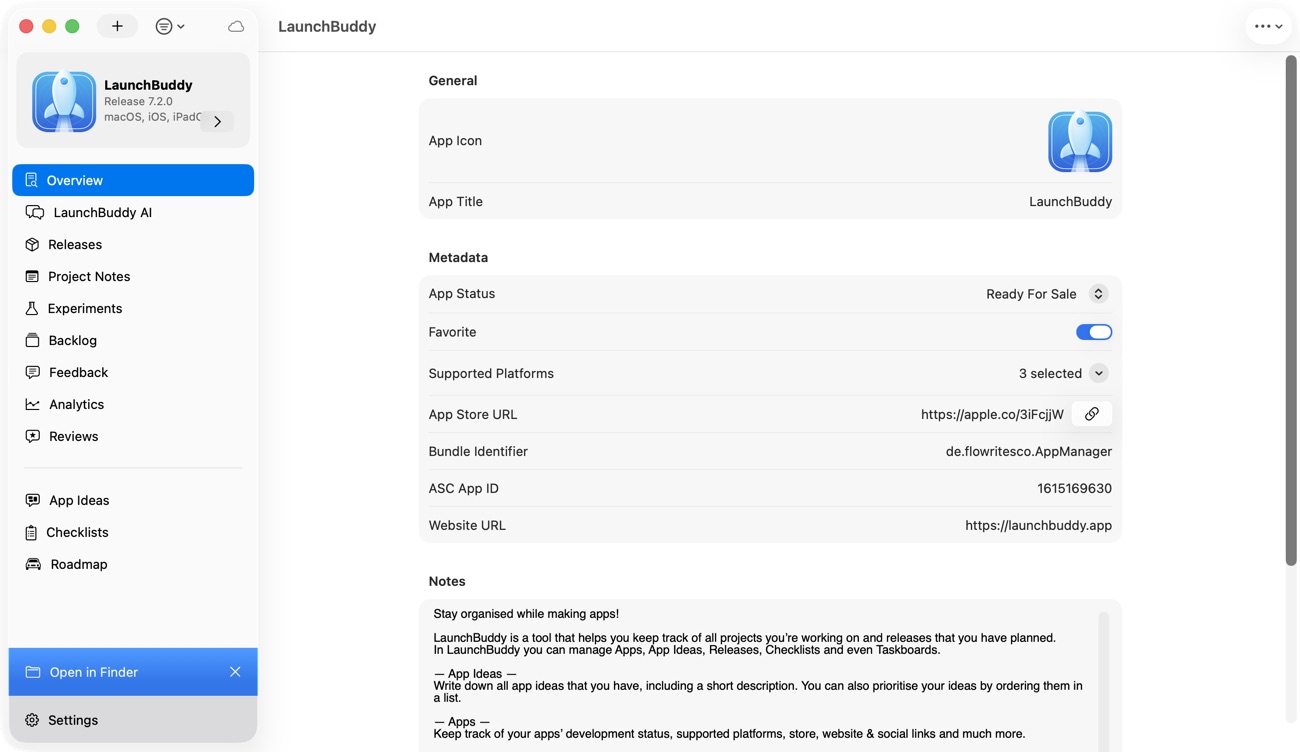
LaunchBuddy treats the app as the long-lived project and the release as the unit of shipping. That model fits indie development, where product thinking, coding, App Store work, customer feedback, and marketing often belong to the same person.
Ideas become planned work
LaunchBuddy provides a place for app ideas and project notes, then connects decisions to a backlog and future releases. Idea Chat can help brainstorm features and turn useful ideas into backlog items; it is planning context, not deployment automation.
Tasks stay attached to a release
A generic issue tracker can hold bugs and features, but it may not answer the most practical release question: “What must be true before version 2.4 ships?”
LaunchBuddy groups work around releases. Features, fixes, screenshot updates, privacy checks, review notes, and launch tasks can all belong to the version they affect. Reusable submission checklists automatically bring recurring work into each release, so a small update does not quietly skip an important App Store step.
App Store Connect context stays near the plan
With its App Store Connect integration, LaunchBuddy can provide a reviews inbox, analytics for downloads, revenue, and subscriptions, and release-note uploads. A one-star review can become a backlog task instead of disappearing after you reply.
LaunchBuddy AI is grounded in app context such as tasks, releases, and cached review data. That makes it useful for drafting release notes, exploring an app-specific question, or proposing a review response. The developer still needs to verify public copy and approve anything consequential.
Post-release learning has somewhere to live
Shipping is not the end of a release loop. LaunchBuddy’s ASO experiments let you track tests involving icons, screenshots, or copy with baseline and experiment metrics. Reviews and analytics can inform the next backlog rather than remaining isolated in App Store Connect.
The workflow travels between iPhone and Mac
LaunchBuddy stores project data in the user’s private iCloud account and keeps it current across iPhone, iPad, and Mac. Capture an idea away from the desk, check a release, or triage a review without reconstructing the project later.
On Mac, LaunchBuddy also offers a localhost-only MCP server. Compatible clients can read release context; supported writes become proposals that must be approved in LaunchBuddy. MCP is an optional bridge to the planning layer, not a path for building, signing, uploading binaries, or operating CI.
Where Fastlane is stronger
Fastlane is strongest when release work can be expressed as a repeatable sequence. According to its official iOS App Store deployment guide, a lane can generate screenshots, synchronize signing, build an app, upload it to App Store Connect, and notify a team.
Its major advantages include:
build_appfor creating an app archive and.ipamatch/sync_code_signingfor sharing and maintaining certificates and provisioning profilessnapshot/capture_screenshotsfor automated App Store screenshotspilot/upload_to_testflightfor TestFlight uploads and distributiondeliver/upload_to_app_storefor binaries, metadata, screenshots, and supported submission stepsprecheckfor checking App Store metadata- A large catalog of built-in actions and plugins
- Lanes that can run locally or in CI
That makes Fastlane a strong choice when a release merge should run tests, increment a build number, archive with the correct signing, upload to TestFlight, and notify you.
The tradeoff is ownership. Your Fastfile, signing repository, Ruby and gem setup, plugins, CI image, authentication, and Apple-facing actions form a system that somebody must understand. Fastlane reduces repeated manual work; it does not eliminate the need to maintain the automation.
Where asc CLI is stronger
Again, asc CLI here means the unofficial project at rorkai/App-Store-Connect-CLI, not a CLI shipped or supported by Apple. It is a single Go binary designed to expose App Store Connect workflows through commands, structured output, and predictable exit behavior.
Its official documentation covers capabilities including:
- Apps, versions, localizations, pricing, and categories
- Build upload and TestFlight management
- App Store submissions
- Screenshots and previews
- Reviews, feedback, analytics, and reports
- Certificates, provisioning profiles, bundle IDs, and related signing resources
- Subscriptions and other App Store Connect resources
- CI integrations and non-interactive JSON output
- Local command discovery and agent-oriented skills
asc is appealing when you want to call App Store Connect directly from a shell script, inspect results as JSON, or compose small operations without introducing a Ruby toolchain. Installation can be as simple as Homebrew, and API-key authentication works well for non-interactive environments.
The important boundary is that API breadth is not the same as release planning. asc can fetch reviews or update metadata, but it does not automatically decide which feedback belongs in version 2.4, whether the screenshot task is actually complete, or whether a public response reflects your product voice. You must provide that policy through scripts, another system, or human review.
Because asc is young and community-driven, evaluate its current command documentation and release notes against the exact operations you need. Do not assume a command’s existence or behavior from the general breadth of the App Store Connect API.
Setup and maintenance tradeoffs
LaunchBuddy setup
You can begin with app projects, releases, and tasks without Apple credentials; App Store Connect features require an API key. Maintenance means keeping scope current, completing checklists honestly, and turning feedback into deliberate work. There is no deployment script—or deployment engine—so builds and uploads happen elsewhere.
Fastlane setup
Fastlane requires Ruby, project configuration, and a Fastfile, often plus signing, CI secrets, API keys, metadata directories, and plugins. Its payoff grows with repetition; a complex lane for one annual update may cost more than it saves.
asc CLI setup
asc installs as a standalone binary and uses App Store Connect API credentials. CI still needs secrets, explicit identifiers, failure handling, and write safeguards. Pin versions, inspect structured errors, and test writes on a low-risk release.
For both CLIs, never commit a .p8 private key. Use the least-privileged App Store Connect role that supports the operation and store CI credentials in the provider’s secret system.
Planning versus execution
A useful release workflow separates judgment from deterministic execution.
LaunchBuddy is well suited to questions such as:
- Which tasks belong in the next version?
- Are all recurring submission checks complete?
- Which customer reviews should become backlog work?
- Which ASO hypothesis are we testing after launch?
Fastlane and asc are well suited to instructions such as:
- Upload this artifact to TestFlight.
- Distribute this build to a beta group.
- Synchronize these metadata files or screenshots.
- Submit after these machine-checkable preconditions pass.
The boundary should remain explicit. A green CI run proves that configured automation succeeded; it does not prove that the release scope was wise, screenshots communicate the right value, privacy answers are still accurate, or a sensitive review response should be published.
Recommended combined workflows
Simple solo workflow: LaunchBuddy + Xcode
Use LaunchBuddy to plan the version, apply a reusable checklist, track TestFlight feedback, draft release notes, and manage post-launch reviews. Build, sign, and upload through Xcode, then complete the official submission in App Store Connect.
Repeatable indie workflow: LaunchBuddy + Fastlane
- Define the release scope and recurring submission work in LaunchBuddy.
- Run a Fastlane beta lane to test, sign, build, and upload to TestFlight.
- Triage feedback into release tasks or a later backlog.
- Run a release lane for the reviewed binary, screenshots, and metadata.
- Keep a human approval before submission or public release.
- Use LaunchBuddy reviews, analytics, and ASO experiments to plan what comes next.
Scriptable API workflow: LaunchBuddy + asc
- Keep ideas, tasks, checklists, and release readiness in LaunchBuddy.
- Use asc to query builds, manage TestFlight, synchronize approved metadata, or automate supported App Store Connect actions.
- Parse JSON in scripts or CI and fail on explicit unmet conditions.
- Require review before public metadata changes, submission, or release.
- Return customer and performance signals to LaunchBuddy’s backlog and experiments.
Using all three can also work if responsibilities stay clear. Avoid automating the same write in both CLIs; give every action one owner so retries cannot create conflicting changes.
Who should choose what?
Choose LaunchBuddy first if your main problem is scattered ideas, release tasks, checklists, reviews, analytics, and App Store context—especially if you want a native iPhone/Mac workflow.
Choose Fastlane first if signing, screenshots, TestFlight distribution, or repeatable CI deployment is the bottleneck.
Choose asc CLI first for a lightweight, structured App Store Connect interface and you are comfortable owning scripts and safeguards.
Choose a combination if your release has both human coordination and repeated machine work. That is normal, not redundant.
Frequently asked questions
Is asc CLI an official Apple tool?
No. The asc CLI discussed here is the independent open-source rorkai/App-Store-Connect-CLI. Its documentation explicitly describes it as unofficial and not affiliated with Apple. Apple provides the App Store Connect API that the tool uses.
Can LaunchBuddy replace Fastlane?
No. LaunchBuddy does not build, sign, or upload app binaries and does not run CI. It can replace scattered notes, generic release checklists, and disconnected feedback workflows, while Fastlane automates technical release steps.
Can Fastlane or asc replace LaunchBuddy?
They can replace manual command execution and some App Store Connect browser work. They do not provide LaunchBuddy’s native app-centric project model, release taskboards, idea workflow, reusable visual checklists, review-to-task flow, or ASO experiment workspace unless you build equivalent systems around them.
Should an indie developer start with CI?
Only when repetition or reliability justifies it. For an early app, LaunchBuddy plus Xcode may be enough. Add Fastlane or asc when you can identify a specific repeated step that automation will make safer or faster.
Which tool should submit the app for review?
App Store Connect remains Apple’s source of truth. Fastlane and asc can automate supported submission operations, but many indie developers should keep a deliberate human gate before submission and release. LaunchBuddy can organize readiness; it does not submit the binary.
Can LaunchBuddy MCP trigger Fastlane or asc?
LaunchBuddy’s MCP server exposes LaunchBuddy release context and approval-gated LaunchBuddy changes. It is not documented as a Fastlane, asc, Xcode, or CI runner. A capable coding client may have separate terminal tools, but those are separate integrations and security boundaries.
Build a workflow with clear ownership
The best iOS release stack is not the one with the most automation. It is the one where every important decision and action has an obvious owner.
Let LaunchBuddy hold the app’s ideas, release scope, tasks, reusable checklists, reviews, analytics, release notes, and experiments. Let Fastlane automate a mature build-and-deploy lane. Let asc provide direct, scriptable App Store Connect access where a focused command is the cleanest tool. Keep Apple’s systems as the official destination, and keep a human in control of public claims and release decisions.
If the part you are missing is a calm, app-centric place to decide what ships and learn from what happened afterward, download LaunchBuddy on the App Store.