iOS App Launch Checklist for Indie Developers

An iOS app launch checklist takes you from a written launch goal to the first week after release. Prepare the project in Xcode, set up the App Store Connect record early, test the build through TestFlight, write metadata and screenshots that match that build, prepare App Review notes and demo access, choose the release timing, and line up the follow-up work. A copyable version of the full checklist is near the end of this guide.
Launches go wrong when those pieces disagree: screenshots from an older build, a privacy answer written before you added an analytics SDK, or launch copy describing a feature that slipped to 1.1.
For indie developers, that coordination can get messy fast. You might be preparing your first App Store submission, getting a side project ready for a public launch, or turning a private TestFlight beta into something customers can actually download. The work is practical, but it is spread across too many places.
LaunchBuddy groups that work into a release with its own tasks and checklist, which is the structure this guide follows.
Start with a launch goal
Before filling out App Store Connect fields, write down what this launch is meant to accomplish.
For a first launch, the goal might be:
- Make the app publicly available for the first time
- Validate demand from a small audience
- Launch a paid subscription or in-app purchase
- Publish a simple utility and improve it from real feedback
- Support a marketing push, social announcement, or Product Hunt launch
For an update launch, the goal may be a major feature, a redesign, a pricing change, a new platform, or a relaunch after a long quiet period.
The goal matters because it changes the checklist. A first launch needs account setup, product page setup, privacy details, and reviewer context from scratch. A major update may need new screenshots, ASO work, release notes, TestFlight feedback triage, and launch copy. A small bug fix may only need a lighter version of the workflow.
In LaunchBuddy, create a release for the launch and attach the remaining tasks to it. That gives every App Store Connect field and AI draft a clear source of truth: this version, this build, this launch goal.
1. Prepare the project before App Store Connect
The first part of an iOS app launch happens before submission. Make sure the app and project are ready enough that App Store Connect work will not be rewritten every day.
Check:
- App name, bundle identifier, and SKU are decided
- Version and build number strategy is clear
- Deployment target and supported devices are intentional
- Required capabilities, entitlements, and permissions are configured
- App icon, launch screen, and basic branding are final enough for review
- Core onboarding, login, purchase, sync, or account flows work on real devices
- Known launch blockers are tracked as tasks, not memory
This is where a launch checklist becomes project management. If “fix onboarding crash” and “finish App Store screenshots” live in separate tools, it is easy to polish the product page while the actual launch build is still unstable.
Use the launch release as the home for both code tasks and App Store tasks.
2. Set up App Store Connect early
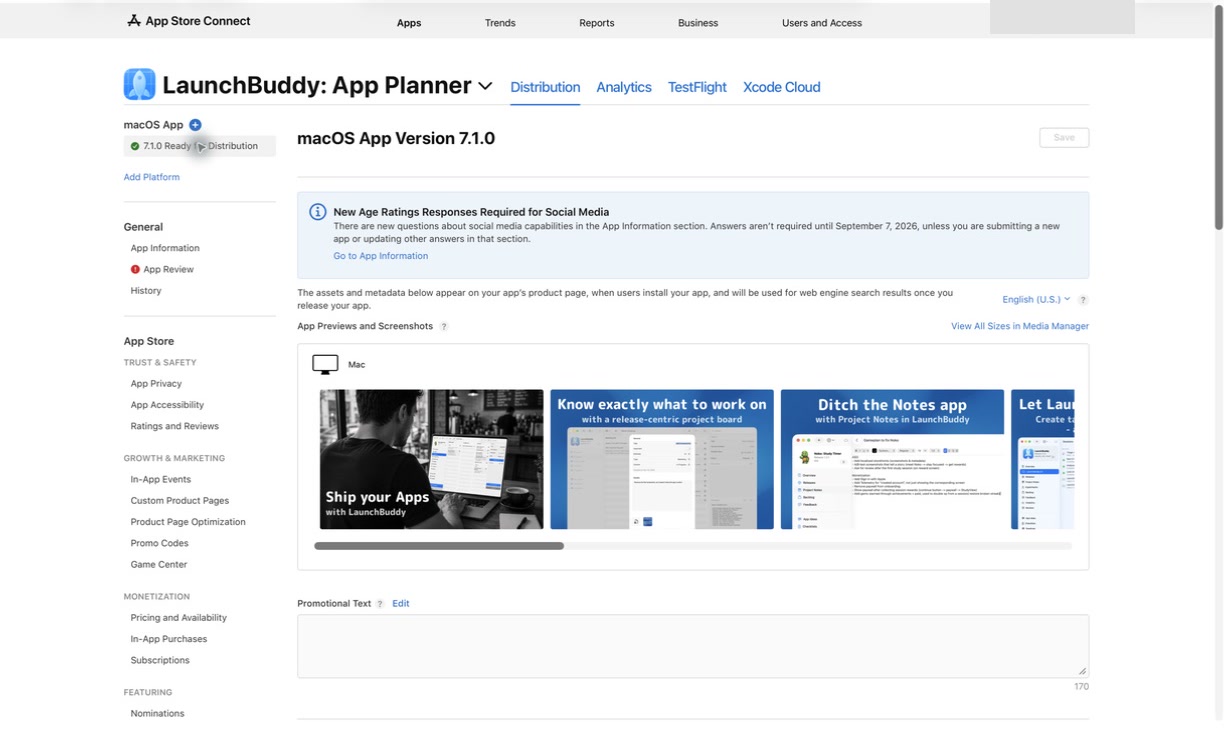
Do not wait until the final day to create or complete the App Store Connect record. Some fields are quick, but others force decisions about positioning, privacy, pricing, availability, and reviewer access.
Early App Store Connect tasks include:
- Create the app record
- Confirm bundle ID and platform
- Set primary language and category
- Add support URL and privacy policy URL
- Decide pricing and availability
- Prepare in-app purchases or subscriptions if needed
- Review App Privacy details
- Add age rating answers
- Decide whether the app needs a demo account for review
For a first launch, these tasks often reveal missing work. A privacy policy may not exist yet. A support page may be unfinished. A subscription product may be created but not attached correctly. A login-only app may need sample data for App Review.
That is good information to discover early. Add those findings back to the LaunchBuddy release instead of leaving them as loose reminders.
For a field-by-field submission pass, read the App Store Connect release checklist.
3. Build a TestFlight launch loop
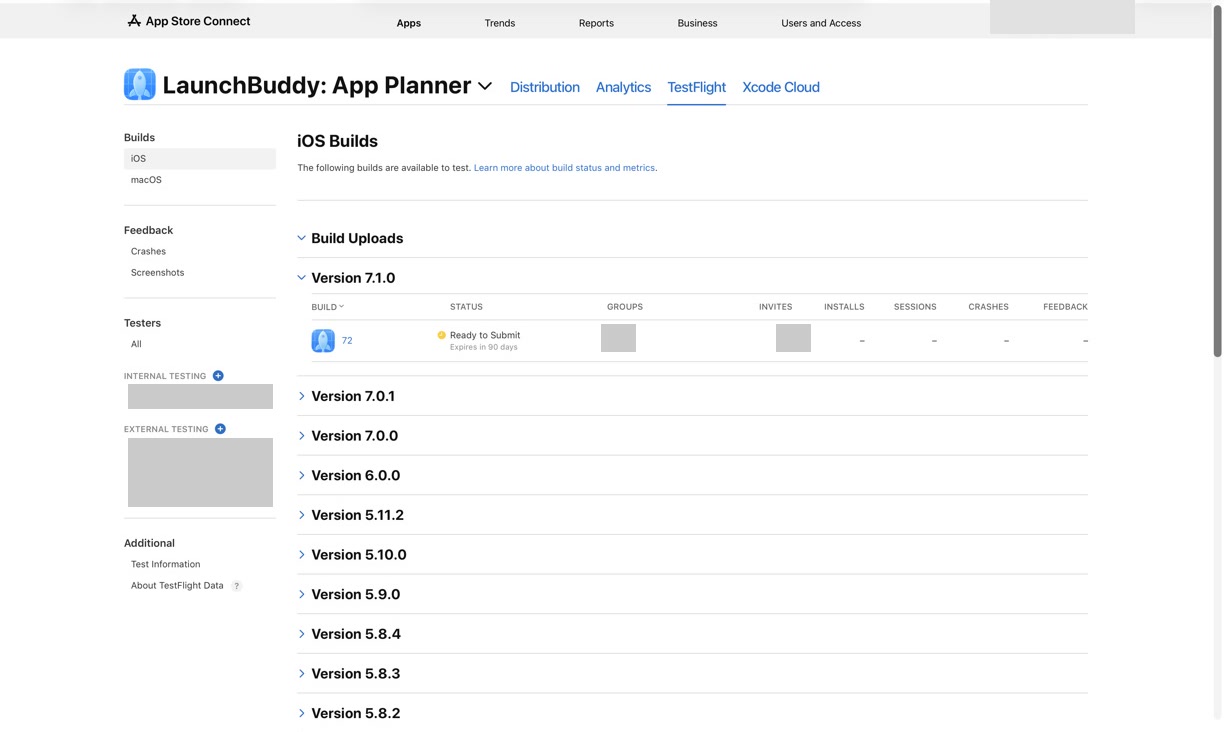
TestFlight is where a launch gets more honest. The app may work in the simulator and still fail in the hands of real testers.
Use TestFlight to check:
- First launch on a clean install
- Upgrade path from an older build, if applicable
- Login, account creation, password reset, and account deletion
- Subscriptions, in-app purchases, trials, or paywalls
- Push notifications, widgets, background tasks, or extensions
- Empty states, offline states, and error states
- Performance on older supported devices
- App Review paths that a reviewer will likely test
A good TestFlight launch checklist should not only say “test the app.” It should ask whether feedback changed the launch.
For each serious feedback item, decide:
- Does this block launch?
- Does it become a task in the current release?
- Does it move to a follow-up release?
- Does it require updated release notes, screenshots, metadata, or App Review notes?
With App Store Connect integration, LaunchBuddy can help keep TestFlight status and release tasks closer together. With AI features, it can also help summarize feedback themes, but the final launch decision should stay with the developer.
For more detail, read the guides to TestFlight release management and TestFlight feedback management.
4. Write App Store metadata from the launch goal
App Store metadata should describe the app users are about to download, not the app you hope to build later.
For launch, review:
- App name
- Subtitle
- Description
- Keyword field
- Promotional text
- Category
- Support URL
- Marketing URL, if used
- Privacy policy URL
- Copyright
The launch goal helps keep metadata focused. If the app is a simple utility, avoid copy that makes it sound like a large platform. If the launch is a paid product, make the value clear before users reach the subscription screen. If the app uses AI, describe what the AI helps with in plain language and avoid claims that the app cannot support.
AI can help brainstorm app descriptions, subtitles, keyword candidates, and launch copy. It should not blindly decide what goes into App Store Connect. Every generated sentence should be checked against the submitted build, Apple’s metadata rules, and the product page positioning.
For ASO-specific workflows, read the App Store keyword field and App Store metadata management guides.
5. Prepare screenshots and app previews as launch tasks
Screenshots are often treated as design work separate from the release. For an iOS app launch, they are part of the submission.
Before upload, check that screenshots:
- Match the selected build
- Show real app UI and current feature names
- Communicate the main benefit quickly
- Avoid unsupported claims or future features
- Use the right device families and orientations
- Reflect paywalls, subscriptions, or gated features accurately
- Are localized if you are launching in multiple locales
- Still make sense after the latest TestFlight changes
If the UI changes after screenshots are created, add a launch task to review them again. Do not rely on memory. Stale screenshots can create confusion for users and reviewers, especially when they show old navigation, hidden features, or copy that no longer exists.
6. Draft launch copy with AI, then verify it manually
An iOS app launch creates a surprising amount of writing:
- App Store description
- Promotional text
- Release notes or first-version launch notes
- App Review notes
- TestFlight “What to Test” notes
- Website copy
- Social announcement
- Email or newsletter copy
- Support replies for early users
AI is useful here because it reduces blank-page friction. The safest workflow is to draft from structured launch context:
Launch context:
- App:
- Target audience:
- Launch goal:
- Selected build:
- Main features:
- What is not included yet:
- App Store metadata positioning:
- TestFlight feedback themes:
- Tone:
Then ask AI for a first draft of one field at a time.
Review every claim:
- Is this feature in the selected build?
- Does the wording match the app’s real behavior?
- Does the copy overpromise AI, automation, or outcomes?
- Does the App Store metadata stay accurate and relevant?
- Does the App Review note explain how to test anything non-obvious?
- Does the announcement mention anything that is actually launching later?
LaunchBuddy’s AI features are strongest when the source context is already organized in the release. The tool can help draft clearer copy, but the release facts should stay in control.
For release-note-specific guidance, read AI release notes for iOS apps and the App Store release notes generator.
7. Prepare App Review notes and demo access
App Review notes are private instructions for Apple reviewers. They are especially important for launch builds because reviewers do not know your app yet.
Prepare notes if your app has:
- Login or account creation
- Paid features, trials, subscriptions, or in-app purchases
- AI-generated content or AI-assisted workflows
- Hardware requirements
- Location, camera, health, calendar, contacts, or other sensitive permissions
- User-generated content or moderation
- Hidden features that need sample data
- Backend services or region-specific behavior
A simple template:
App Review notes:
- App:
- Version:
- Build:
- Main purpose of the app:
- What is new or important in this submission:
- Demo account:
- Steps to test paid or gated features:
- AI behavior, if relevant:
- Privacy or account-deletion path:
- Contact:
If login is required, make sure the demo account works and contains useful sample data. If the launch includes AI features, explain where the feature appears, what input it uses, and how the user reviews the output.
For a deeper template, read the guide to App Review notes.
8. Choose launch timing intentionally
Submission timing and release timing are separate decisions.
Before you submit, decide:
- Do you want automatic release after approval?
- Do you want manual release so you can coordinate marketing?
- Do you need server changes ready before users update?
- Will you use phased release?
- Who will monitor crashes, reviews, support, and feedback after launch?
- What tasks should happen after the app is live?
For a first launch, manual release can be helpful because it lets you verify the live product page, coordinate announcements, and be available for early feedback. For a smaller update, automatic release may be fine.
The important part is making launch timing a checklist item instead of a default you choose while tired.
A practical iOS app launch checklist
Use this checklist as a starting point:
Launch planning:
- Launch goal written
- Target version and build identified
- Launch blockers tracked as tasks
- Follow-up release ideas separated from launch scope

Project readiness:
- Core flows tested on real devices
- Permissions and entitlements checked
- App icon and launch screen ready
- In-app purchases or subscriptions tested, if used
- Account deletion and privacy-sensitive flows verified, if needed

App Store Connect:
- App record created
- Category, pricing, and availability reviewed
- Support and privacy URLs live
- App Privacy and age rating completed
- IAPs or subscriptions attached, if needed

TestFlight:
- Build uploaded and processed
- Internal testing complete
- External feedback reviewed, if used
- Blocking feedback resolved or deferred
- Selected build confirmed

Metadata and assets:
- App name and subtitle reviewed
- Description and promotional text ready
- Keyword field reviewed
- Screenshots and app previews match the build
- Localized metadata reviewed, if launching in multiple locales

AI-assisted copy:
- App Store copy drafted from launch context
- App Review notes drafted and verified
- Launch announcement drafted
- Unsupported claims removed

Submission:
- Demo account works, if needed
- App Review notes are current
- Release timing chosen
- Submitted for review
- App Review status tracked

After launch:
- Live App Store page verified
- Early crashes, feedback, reviews, and support monitored
- Marketing tasks completed
- Follow-up tasks created in the next release
- Final launch notes saved
The best checklist is the one connected to your actual project. A copied checklist is helpful. A release-aware checklist is safer.
Common iOS app launch checklist mistakes
Watch for these launch problems:
- Treating App Store metadata as a last-minute writing task
- Creating screenshots before the UI is stable, then forgetting to recheck them
- Writing launch copy that describes a future version
- Submitting without testing login, subscriptions, or account deletion on a real device
- Forgetting demo access for App Review
- Leaving privacy, age rating, or tracking answers stale after adding SDKs or features
- Ignoring TestFlight feedback because the launch date feels close
- Mixing launch blockers with someday ideas
- Choosing release timing without a post-launch monitoring plan
- Saving final launch decisions nowhere except App Store Connect
Most launch mistakes are not caused by one missing field. They happen because the launch context is scattered.
Frequently asked questions
How early should I create the App Store Connect app record?
As soon as you have a bundle ID and a working name, well before the build is ready. Creating the record reserves the name, lets you upload TestFlight builds, and gives you time for App Privacy, age rating, pricing, and in-app purchase setup, which usually take longer than expected on a first launch.
Do I need a demo account for App Review?
If any part of the app requires signing in, yes. Add a working demo account (or explain a demo mode) in the App Review Information section, along with review notes for anything that needs special hardware, a location, or an active subscription. Missing login details are one of the most common reasons a first submission comes back rejected.
Why LaunchBuddy fits an iOS app launch workflow
LaunchBuddy is not trying to replace Xcode, App Store Connect, TestFlight, CI, Fastlane, or Apple review. Those tools still matter.
LaunchBuddy fits the layer around them:
- Organize iOS app tasks by project
- Group launch work into a release
- Reuse App Store submission checklists
- Keep App Store Connect status close to the launch plan
- Track TestFlight feedback decisions
- Draft App Store copy, release notes, and reviewer notes with AI
- Separate launch blockers from future ideas
- Save final launch decisions for the next version
Launch with less scattered context
Shipping an iOS app is a coordination problem. The code, build, metadata, screenshots, privacy answers, review notes, launch copy, and follow-up tasks all need to describe the same reality.
Start with the launch goal. Create the release. Attach the tasks, checklist, App Store Connect work, TestFlight feedback, AI drafts, and final decisions to that release. Then submit with a calmer process and a clearer record of what happened.
That is the workflow LaunchBuddy is designed to support.
Want a printable copy of the first-submission checks? Get the free App Launch Checklist PDF — 25 actions before your first App Store submission, delivered to your inbox after you subscribe.

