App Review Notes for iOS Apps: A Practical App Store Connect Workflow
App Review notes are one of the easiest App Store Connect fields to leave until the last minute, and one of the most useful fields when your app has anything a reviewer might not understand immediately.
They are not marketing copy. They are not the same as App Store release notes. They are private instructions for App Review: how to log in, where to find important features, what changed in this version, what special setup is required, and what the reviewer should know before deciding whether the app is complete and testable.
For indie iOS developers, App Review notes matter because the submission moment is already crowded. You are checking the selected build, metadata, screenshots, privacy details, TestFlight feedback, release notes, and launch timing. If review instructions are stale or missing, an otherwise ready release can slow down for a preventable reason.
LaunchBuddy is built for that release-management layer. With App Store Connect integration and AI features, it can help keep reviewer notes connected to the version, the selected build, the release checklist, and the final submission decisions.
What App Review notes are for
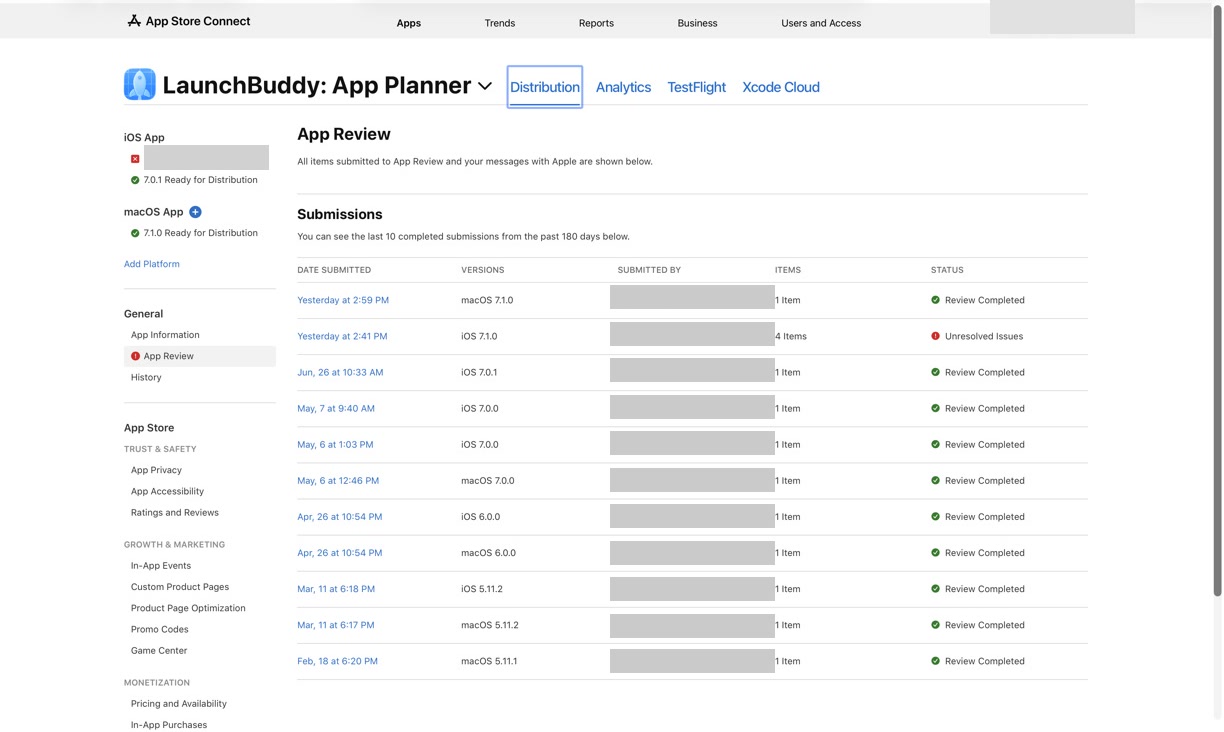
App Review notes live inside App Store Connect’s App Review Information section. They are intended for Apple reviewers, not customers. The goal is to help the reviewer test the app, understand non-obvious behavior, and verify the submission without guessing.
Use App Review notes when the reviewer may need:
- Demo account credentials
- Instructions for reaching a new feature
- Details about subscriptions, in-app purchases, or gated flows
- Information about hardware, location, accounts, or server dependencies
- Clarification for region-specific or role-specific behavior
- A short explanation of what changed in the submitted version
- Test data, setup steps, or feature flags needed during review
- Context about AI features, generated content, moderation, or privacy-sensitive behavior
The notes should be specific enough to make the app testable, but concise enough to be scanned quickly. They should read like instructions from a developer who wants the reviewer to succeed.
App Review notes are not release notes
It is easy to confuse App Review notes with release notes because both are written near submission time. They solve different problems.
App Store release notes are user-facing. They explain what changed for customers in the “What’s New” section.
App Review notes are reviewer-facing. They explain how Apple can test and understand the submission.
For example:
| Field | Audience | Purpose |
|---|---|---|
| App Store release notes | Users and potential customers | Explain what changed in this update |
| App Review notes | Apple reviewers | Explain how to review the app or update |
| TestFlight “What to Test” notes | Beta testers | Explain what testers should focus on |
| Internal release notes | You or your team | Preserve the full release history |
A strong release workflow keeps these connected without copying one field into another.
If your release notes say “This update adds AI-assisted project summaries,” your App Review notes might explain where that feature appears, whether the reviewer needs a demo account, how AI output is labeled, and what data is used to generate the summary.
For the user-facing writing workflow, read AI release notes for iOS apps or the App Store release notes generator guide.
Start with the release context
Good App Review notes start before you open the Notes field in App Store Connect.
For each version, collect:
- Version number
- Selected App Store build
- Main release goal
- New or changed features
- Features that require login
- Features behind subscriptions or in-app purchases
- Demo account credentials and roles
- Test data needed by the reviewer
- External services required for testing
- Known limitations or intentionally excluded work
- TestFlight feedback that changed the final behavior
- Privacy, account deletion, moderation, or AI details that may matter
This context should already be part of a healthy release workflow. The App Review notes are a summary of the reviewer-relevant pieces, not a separate writing exercise.
In LaunchBuddy, the release can hold the tasks, checklist items, App Store Connect state, AI drafts, and final copy together. That makes it easier to write notes that match the build you are actually submitting.
For the broader submission workflow, use the App Store Connect release checklist and the App Store submission tracker.
A practical App Review notes template
The best App Review notes are structured. A reviewer should be able to scan them quickly and know what to do next.
Use a template like this:
Release:
- App:
- Version:
- Build:
- Main change in this submission:

Demo access:
- Sign-in required: Yes/No
- Username:
- Password:
- Account role or test data:
- Two-factor or verification code instructions:

How to test the main changes:
1. Open:
2. Navigate to:
3. Try:
4. Expected result:

Reviewer context:
- Subscription or in-app purchase notes:
- Hardware, location, or server requirements:
- AI or generated-content behavior:
- Privacy or account deletion path:
- Known limitations:

Contact:
- Best review contact:
Delete anything that does not apply. A simple app with no login does not need a long reviewer packet. A complex app with subscriptions, role-based accounts, hardware, or AI features should not rely on the reviewer discovering everything alone.
What to include for apps with login
If the app requires sign-in, make the demo account obvious.
Include:
- Username or email
- Password
- Account role
- Whether the account is preloaded with useful test data
- Any verification code or special login step
- A note that the account should remain active during review
- Alternate credentials if there are multiple account types
Do not assume that a reviewer will create their own account, wait for an approval flow, or understand your onboarding state. If a feature requires a paid plan, admin role, invite, organization, or sample project, the notes should explain how to reach it.
For example:
Demo access:
- Use reviewer@example.com / example-password
- This account contains a sample project with one active release.
- To test the new checklist feature, open Sample Project -> Releases -> Version 2.1 -> Review Checklist.
The exact credentials should be real in App Store Connect, but they should not be stored in a public blog post, public repository, or task description.
What to include for non-obvious features
Many App Review problems are not caused by broken apps. They are caused by hidden paths, empty states, account setup, or features that only appear after a few steps.
Write notes for features that are:
- New in this version
- Behind onboarding
- Behind a subscription or in-app purchase
- Available only with certain account data
- Triggered by background work
- Dependent on a connected service
- Visible only after importing, syncing, or creating content
- AI-assisted and therefore dependent on input context
- Easy to mistake for an unfinished or inaccessible feature
Your App Review notes can be short:
The new AI release notes draft appears after a project has at least one release with completed tasks. To test it, use the sample project in the demo account, open Release 1.4, then tap Draft Release Notes.That kind of instruction can prevent confusion because it tells the reviewer what state is required and what result to expect.
Include AI context when AI features affect review
If your app uses AI, App Review notes should help the reviewer understand the feature without turning the notes into a technical architecture document.
Useful AI context may include:
- Where the AI feature appears
- What input the user provides
- What output the app generates
- Whether generated text is editable before use
- Whether the feature can be tested with the demo account
- Whether the app labels or explains generated content
- Whether sensitive data, accounts, or external services are involved
- How the feature relates to the app’s core purpose
For an indie developer app, a reviewer-facing note might look like this:
AI feature:
The release notes draft is generated from completed tasks in the selected release. The user reviews and edits the result before copying it into App Store Connect. To test it, open the sample project, select Release 1.4, and choose Draft Release Notes.
That is more useful than saying “This version adds AI.” It explains the path, the input, the output, and the human review step.
For a broader AI release workflow, read AI App Store Connect workflow.
Keep App Review notes tied to the selected build
App Review notes can become risky when they describe a build that is no longer selected.
Before submission, check:
- Is the selected App Store build the build described in the notes?
- Did any feature move to a later release?
- Did TestFlight feedback change the final scope?
- Did the demo account still contain the expected data?
- Did subscription, pricing, or in-app purchase behavior change?
- Did screenshots or metadata promise a flow the reviewer needs to test?
- Did AI-generated text mention anything that is not in the selected build?
This is where App Store Connect integration matters. If build status, selected version, and release tasks are disconnected, it is easy to update the notes for the wrong release.
LaunchBuddy can help by treating App Review notes as part of the release, not as a one-off text field you rewrite under pressure.
Use AI to draft App Review notes, then verify every claim
AI is useful for App Review notes because the field is structured and repetitive. It can turn release context into a clear first draft.
The input matters more than the prompt. Start with the release data you trust:
- Completed tasks
- Selected build
- New features
- Demo account requirements
- TestFlight feedback decisions
- App Store metadata changes
- Known exclusions
- Checklist status
Then ask for a reviewer-facing draft:
You are helping prepare App Review notes for an iOS app submission.

Audience: Apple App Review.
Tone: clear, concise, instructional, not promotional.

Release context:
- App:
- Version:
- Build:
- Main changes:
- Demo account:
- Features that require setup:
- Subscription or IAP behavior:
- AI features:
- Known limitations:

Write App Review notes that:
1. Start with the main change in this submission.
2. Provide demo access instructions if needed.
3. Explain how to reach non-obvious new features.
4. Mention AI behavior only where it affects testing.
5. Avoid marketing language.
6. Flag anything that needs human verification.
The draft should not go directly into App Store Connect. Verify every sentence:
- Does the demo account work?
- Does the navigation path match the submitted build?
- Are all feature claims true?
- Are any old instructions still present?
- Are passwords, codes, or private links handled safely?
- Is the note short enough to be useful?
AI should reduce blank-page friction. It should not decide what is review-ready.
Build App Review notes into your release checklist
The safest way to improve App Review notes is to stop treating them as a final copywriting task.
Add review-note tasks throughout the release:
Before beta:
- Identify features that need reviewer instructions.
- Create or refresh the demo account.
- Add sample data needed for review.

During TestFlight:
- Track feedback that changes review instructions.
- Note any setup steps testers found confusing.
- Confirm subscription and account flows still work.

Before submission:
- Confirm selected build.
- Draft App Review notes from release context.
- Verify demo credentials.
- Check AI, privacy, and account-deletion details.
- Remove stale instructions from older releases.
- Save final notes with the release.

After review:
- Save reviewer questions or rejection feedback.
- Turn useful review lessons into next-release checklist items.
This makes the notes part of the release system. The goal is not to write more. The goal is to keep the right reviewer context close to the work that created it.
Common App Review notes mistakes
Watch for these problems before submitting:
- Pasting the previous version’s notes without checking them
- Providing a demo account that is empty, expired, or blocked
- Forgetting two-factor, invite, organization, or role setup
- Describing features that are not in the selected build
- Using marketing language instead of test instructions
- Hiding subscription or in-app purchase paths from the reviewer
- Failing to explain non-obvious AI behavior
- Forgetting account deletion, privacy, or support paths when relevant
- Writing a long essay when a short numbered list would be clearer
- Saving the final notes nowhere except App Store Connect
Most of these are workflow problems, not writing problems. They happen when the release context is scattered.
Why LaunchBuddy fits App Review notes workflows
LaunchBuddy is not trying to replace App Store Connect. App Store Connect remains the place where you submit builds, metadata, review information, and final releases.
LaunchBuddy fits the work around that submission:
- Organize release tasks by version
- Keep App Store Connect status close to the release plan
- Track TestFlight feedback decisions before submission
- Reuse App Store submission checklists
- Draft reviewer-facing notes from structured release context
- Save final release notes, App Review notes, and follow-up decisions together
- Reduce the chance of submitting stale instructions
Submit with clearer reviewer context
App Review notes do not need to be complicated. They need to be accurate, current, and useful to the reviewer.
Start with the release. Confirm the selected build. Identify anything a reviewer cannot discover immediately. Provide working demo access if needed. Use AI to draft from real context, then verify every instruction before submission.
When App Review notes live with your release workflow instead of in memory, the submission feels less fragile. You know what changed, how to test it, and what context Apple needs to review it.
That is the kind of calmer App Store Connect workflow LaunchBuddy is designed to support.