LaunchBuddy vs Itsyconnect: Which Fits Your iOS Release Workflow?
If you are comparing LaunchBuddy vs Itsyconnect, the most important difference is not the length of their feature lists. It is where each product places the center of your workflow.
The short verdict: choose Itsyconnect when you want a local-first Mac interface for doing more of the day-to-day work that normally happens in App Store Connect, especially metadata, localizations, screenshots, TestFlight administration, and detailed analytics. Choose LaunchBuddy when you need a home for app ideas, release scope, tasks, reusable submission checklists, customer follow-up, and the decisions that connect one version to the next.
This comparison reflects the products and their official documentation as available on July 20, 2026. Features can change, so verify a critical workflow before moving a live release.
LaunchBuddy vs Itsyconnect at a glance
| Area | LaunchBuddy | Itsyconnect |
|---|---|---|
| Primary job | Plan apps and releases, organize tasks and checklists, and connect ASC feedback to future work | Provide a local-first Mac client and self-hosted dashboard for direct App Store Connect operations |
| Organizing model | Ideas become app-centric projects, backlog tasks, and release-scoped work | Developer accounts and ASC apps, versions, locales, builds, testers, reviews, and reports |
| Metadata | Upload release notes to App Store Connect; manage related work as release tasks | Edit descriptions, keywords, promotional text, names, subtitles, review details, and release settings across locales |
| TestFlight | Plan beta work with release tasks and reusable checklists | Manage builds, groups, testers, public links, build metrics, and tester feedback |
| Reviews | Read and reply, draft contextual AI responses, and turn feedback into tasks | Filter, translate, reply, edit or delete responses, generate appeals, and aggregate unseen reviews |
| Analytics | App dashboard for downloads, revenue, and subscription metrics; connect results to projects and ASO experiments | Broader ASC reporting for downloads, proceeds, sessions, crashes, funnels, territories, acquisition, and version adoption |
| AI center | App Chat and Idea Chat grounded in tasks, releases, and cached review data; release-note and review-reply drafting | BYOK translation, keyword help, review replies and appeals, screenshot localization, and review or analytics insights |
| ASO | Track icon, screenshot, and copy experiments with baseline-versus-experiment metrics | Optimize keyword coverage and manage localized listing copy and screenshots |
| Platforms and storage | iPhone, iPad, and Mac; project data syncs through the user’s private iCloud account | Mac desktop app with local SQLite; optional self-hosted Docker web app |
| MCP emphasis | Read LaunchBuddy project and release context; writes become approval proposals | Read and update ASC listing fields, translate content, and manage locales; respects optional diff mode |
The table shows substantial overlap, but the products answer different starting questions:
- LaunchBuddy asks, “What are we building, what belongs in this release, and what should happen next?”
- Itsyconnect asks, “How can I operate App Store Connect faster from a Mac or a dashboard I control?”
Where the two tools overlap
Both products connect to App Store Connect using your API credentials, surface reviews and analytics, support release-note work, and add AI to repetitive App Store tasks. Both also provide guardrails around some writes: LaunchBuddy’s MCP writes become approval proposals, while Itsyconnect’s optional diff mode can collect listing changes for review before they are pushed.
The destination differs. LaunchBuddy can turn a one-star review into app and release work. Itsyconnect can filter, translate, answer, or appeal that review as part of an ASC inbox. One optimizes the feedback-to-roadmap loop; the other goes deeper on the review record.
Different centers of gravity
LaunchBuddy: from idea to shipped release
LaunchBuddy starts before an App Store version exists. Capture an idea, develop it into an app-centric project, keep a backlog, and assign tasks to the release that will ship them. Reusable checklists add recurring submission work to releases.
After launch, reviews can feed tasks back into the backlog, analytics can inform decisions, and ASO experiments can preserve baselines and results. App Chat uses task, release, and cached review context; Idea Chat can turn brainstorming into backlog work. ASC is context inside LaunchBuddy, while the app project and its releases are the long-lived record.
Itsyconnect: a better operating surface for ASC
Itsyconnect centers Apple’s records. Its official site and open-source repository document workflows for versions, localizations, screenshots, builds, beta groups, testers, reviews, release settings, nominations, and analytics.
That makes it closer to an App Store Connect replacement for daily work, although Apple remains the source of truth. Its data model mirrors the system you are operating—an advantage when ASC itself is the bottleneck.
Where Itsyconnect is stronger
Itsyconnect is the clearer choice for direct ASC work: multi-locale metadata and screenshots, release settings, TestFlight resources, and detailed analytics. Period comparison and timeline markers add useful operational context.
It is also attractive if you value inspectability and local control. The repository is AGPL-3.0, desktop data uses local SQLite, and credentials are encrypted with AES-256-GCM with the master key protected by macOS Keychain. The official site currently states that every feature and unlimited apps and developer accounts are free; that is a verified current claim, not a promise that pricing can never change.
Where LaunchBuddy is stronger
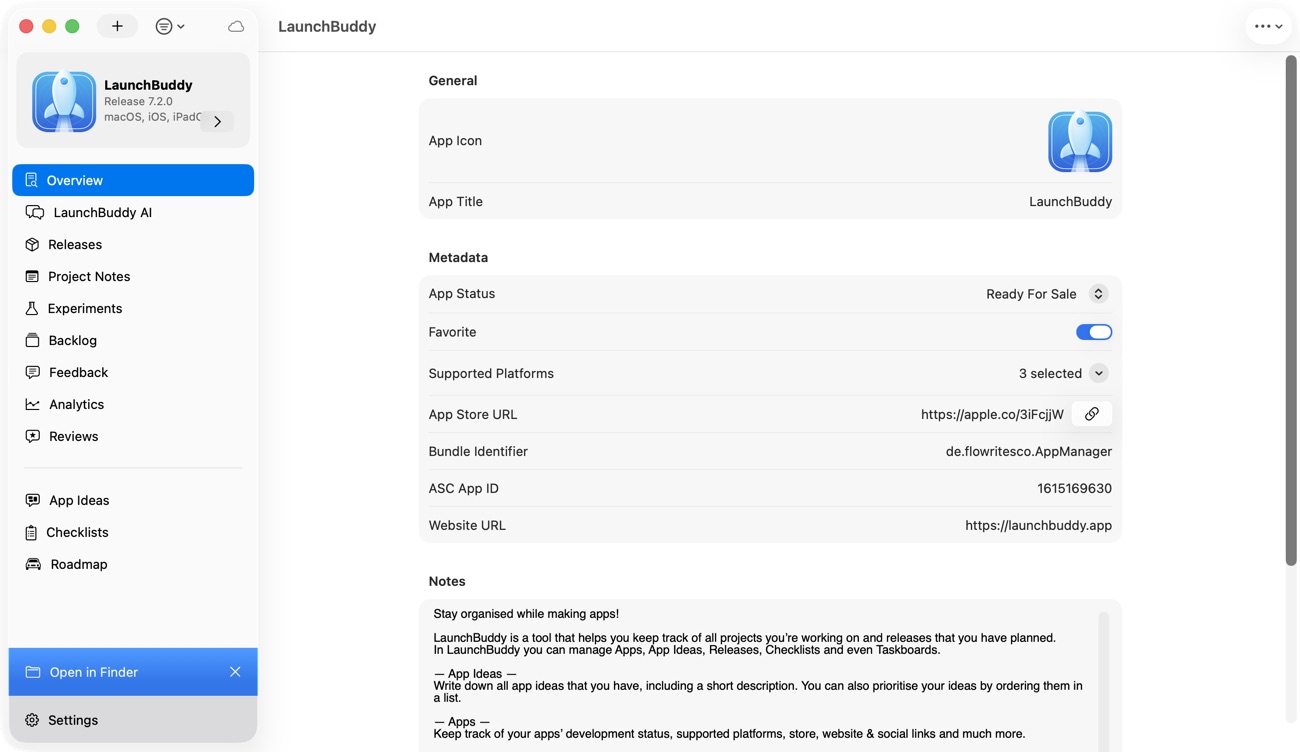
LaunchBuddy is stronger when the missing system is product and release planning, not App Store form editing.
Its app-centric projects connect ideas, notes, backlog tasks, release-scoped tasks, and reusable checklists. That answers questions an ASC client is not designed around:
- Which feature ideas are worth pursuing?
- Which fixes belong in version 2.4 rather than 2.5?
- What must be complete before this release can ship?
- Which review should become engineering work?
- What did an ASO experiment change?
LaunchBuddy’s review-to-task flow is an important distinction. A response closes the customer-service loop; a task keeps the product loop open. Grounded AI extends that model: App Chat can reason over the app’s tasks, releases, and cached reviews, and Idea Chat can turn a discussion into backlog items. Release-note drafts can begin with the work that actually shipped instead of only the text already stored in App Store Connect.
LaunchBuddy also has the stronger personal cross-device workflow. Project data syncs through your private iCloud account across iPhone, iPad, and Mac. Itsyconnect is Mac-focused; its Docker option can provide browser access elsewhere, with added hosting responsibility.
LaunchBuddy’s ASO experiments also solve a different problem from Itsyconnect’s keyword optimization: they record icon, screenshot, and copy tests against baseline and experiment metrics.
Metadata, TestFlight, reviews, analytics, and AI
Metadata and release notes
Choose Itsyconnect if you regularly edit many localizations, optimize keyword fields, or manage screenshot sets. It has the broader write surface and a diff mode for reviewing pending changes.
LaunchBuddy’s direct metadata role is narrower: it can draft and upload release notes, while the related screenshot, metadata, privacy, and review-note work can live as release tasks and checklist items. That is better for coordinating the work, but not a substitute for Itsyconnect’s locale editor.
TestFlight
Itsyconnect manages TestFlight objects. LaunchBuddy manages the release process around beta testing.
In practice, Itsyconnect can be where you assign a build to groups, review beta feedback, or inspect crashes. LaunchBuddy can be where that feedback becomes a blocking task for the current release, a deferred item for the next release, or a reusable testing check.
Reviews
Both can read and respond to reviews. Itsyconnect has richer inbox operations, including filters, translation, response editing and deletion, unfair-rating appeals, and a review center across apps. LaunchBuddy differentiates with app-context AI replies and the direct path from review to backlog task.
Analytics and ASO
Itsyconnect is stronger for inspecting App Store Connect performance and diagnostic detail. LaunchBuddy is stronger for carrying a signal into planning: create a task, reconsider a release, or document an ASO experiment.
AI and MCP
Itsyconnect uses a bring-your-own-key model with providers including Anthropic, OpenAI, Google, xAI, Mistral, DeepSeek, and OpenAI-compatible local servers. Its AI focuses on translation, keyword optimization, reviews, screenshots, nominations, and performance insights. Provider usage costs and data handling follow the provider you select.
LaunchBuddy AI is included with Pro, subject to usage limits, and focuses on your app context: ideas, tasks, releases, reviews, release notes, and review-to-task follow-up.
Both products document MCP servers, but they expose different context. Itsyconnect’s MCP guide covers App Store listing reads and updates, translations, and locale management. LaunchBuddy’s local Mac server exposes project and release reads, while supported writes create approval-gated proposals. Itsyconnect’s Mac App Store build hides its MCP server because of sandbox restrictions; use the direct build or documented Docker setup if MCP is essential.
Platform and data-model tradeoffs
LaunchBuddy stores project data in the user’s private iCloud account, providing sync across personal Apple devices without self-hosting.
Itsyconnect stores desktop data in local SQLite and says it has no vendor account, telemetry, or cloud backend. Its site calls it a native Mac app, while the repository documents Electron and Next.js; evaluate the experience rather than treating “native” as a framework claim. Its Docker container has no built-in authentication, so secure it before exposing it beyond a trusted network.
Itsyconnect says it requires an Admin ASC API key to retrieve its analytics set. Treat that broad access deliberately: use a dedicated key, secure the original .p8 file, and revoke unused access.
Who should choose each?
Choose LaunchBuddy if:
- Your app ideas, tasks, release scope, and submission checks are scattered.
- You want releases to be the unit of planning.
- Reviews should become product work, not only replies.
- You want contextual AI grounded in tasks, releases, and reviews.
- You run ASO experiments and want to preserve hypotheses and outcomes.
- You want an iPhone, iPad, and Mac workflow backed by iCloud.
Choose Itsyconnect if:
- App Store Connect’s browser interface is the main friction.
- You edit metadata, keywords, screenshots, or many locales.
- You actively manage TestFlight builds, groups, testers, and feedback.
- You need deeper ASC analytics and crash or acquisition views.
- You prefer open-source, local SQLite, and bring-your-own AI credentials.
- You manage multiple developer accounts from one Mac.
Can you use LaunchBuddy and Itsyconnect together?
Yes. A clean division of responsibility avoids duplicate busywork:
- Capture the idea and plan the release in LaunchBuddy.
- Assign features, fixes, metadata work, and a reusable checklist to the version.
- Upload the build with Xcode, Fastlane, or CI.
- Manage TestFlight distribution and inspect beta feedback in Itsyconnect.
- Turn release-blocking feedback into LaunchBuddy tasks.
- Edit localized metadata and screenshots in Itsyconnect.
- Draft release notes from completed LaunchBuddy work, verify them, then publish through the tool that fits your workflow.
- After launch, inspect detailed performance in Itsyconnect and track follow-up tasks or ASO experiments in LaunchBuddy.
Apple remains the source of truth. Itsyconnect can operate ASC records while LaunchBuddy preserves the decisions and release plan around them.
Frequently asked questions
Is Itsyconnect an App Store Connect replacement?
It can replace much of the daily browser workflow for supported metadata, releases, TestFlight, reviews, screenshots, and analytics. Apple’s APIs and App Store Connect remain the system of record.
Is LaunchBuddy an App Store Connect client?
LaunchBuddy is primarily an app project and release manager with selected App Store Connect features: reviews and replies, analytics, release-note uploads, and review-to-task workflows. It is not positioned as a complete metadata or TestFlight administration client.
Which is better for TestFlight?
Itsyconnect is better for direct TestFlight administration. LaunchBuddy is better for connecting beta feedback and testing checks to release-scoped tasks. Use both when you need operational control and a durable release plan.
Which is better for App Store metadata?
Itsyconnect is stronger for editing and translating listing fields, managing locales, optimizing keywords, and handling screenshots. LaunchBuddy is stronger for planning the work and generating release notes from project context.
Which is more private?
LaunchBuddy keeps project data in your private iCloud account. Itsyconnect uses local SQLite and protects credentials through macOS Keychain. AI providers, MCP clients, self-hosting, and ASC add separate data paths.
Do I need both?
No. Choose the tool that fixes your repeated bottleneck. If that bottleneck spans both release planning and direct ASC operations, using both can be simpler than forcing one product to act like the other.
Choose the workflow you are missing
Itsyconnect is impressive when you want more App Store Connect capability in a local-first Mac workspace. LaunchBuddy is the better fit when shipping feels chaotic because ideas, tasks, checklists, reviews, experiments, and release decisions do not share one app-centric home.
If that second problem sounds familiar, download LaunchBuddy on the App Store, create your next release, and turn the work you already know about into a plan you can actually ship.