How to Build a Human-in-the-Loop AI Approval Workflow
A human-in-the-loop AI approval workflow lets AI prepare useful work while a person keeps authority over consequential actions. The practical pattern is:
Read → Draft → Propose → Review → Approve or reject → Apply → VerifyThe approval gate belongs before the system changes data, publishes content, sends a message, or triggers another side effect. A proposal is not a completed action, and approval is not proof that execution succeeded. Keeping those states separate is the foundation of a reliable workflow.
The steps below show how to design that boundary, bind a decision to the exact operation, test both approval outcomes, and verify the result. A public status update provides the implementation example, followed by LaunchBuddy’s documented approach across AI, Shortcut, and MCP write actions.
What human-in-the-loop approval actually means
Human-in-the-loop is not a label for any workflow where a person eventually looks at AI output. The person needs a meaningful decision point before the relevant side effect.
Three similar processes have different controls:
| Process | Human decision | Main limitation |
|---|---|---|
| AI drafts, person copies the result manually | The person decides whether to use the draft | The surrounding app does not enforce the decision |
| AI acts, person audits afterward | The person can respond after the change | Review cannot prevent the original action |
| AI proposes, system waits for approval | The person approves or rejects before execution | The gate is effective only if the proposal is specific and reviewable |
The third pattern is an approval workflow. It turns review from advice into a state transition.
That doesn’t mean every model output needs approval. A private summary and a public customer reply have different consequences. The goal is to gate actions according to what they can change, not to add a confirmation dialog to every AI interaction.
This risk-based approach matches the NIST AI Risk Management Framework Core, which calls for defined roles and responsibilities in human-AI configurations and for human-oversight processes to be defined, assessed, and documented. NIST’s human-AI interaction guidance notes that configurations can range from fully manual to fully autonomous. There isn’t a single gate that fits every use case.
Step 1: Classify each AI action by consequence
List the actions in the workflow before deciding where approval belongs. Use four categories:
- Read: Retrieve data without changing it.
- Draft: Generate content or a plan that remains private and editable.
- Propose: Package a requested change for review without applying it.
- Execute: Change stored data, publish content, contact someone, or invoke another system.
For an assistant that can update a public status page, the list might look like this:
| Action | Category | Approval before action? |
|---|---|---|
| Read authorized incident notes | Read | Usually no |
| Draft a private status update | Draft | Usually no |
| Propose publishing the exact update | Propose | No public change should occur yet |
| Publish the status update | Execute | Yes |
| Email incident subscribers | Execute | Yes, as a separate action |
| Delete the incident record | Execute | Block unless an explicit policy permits it |
The qualifier matters. Reading sensitive data can still require access controls even when it doesn’t need per-request approval. Approval is only one part of a security design.
Write the rule in terms of side effects:
No approval required:
- read authorized context
- create a private, editable draft

Approval required:
- change project or release data
- publish user-facing text
- send a message or reply
- write to an external system

Not allowed:
- actions outside the tool's documented capabilities
- actions the reviewer cannot understand from the available context
When this policy is enforced outside the model, the system doesn’t have to rely solely on the model to classify its own action. The workflow defines the boundary first.
Step 2: Build a reviewable proposal
A vague “Allow AI action?” prompt doesn’t support informed review. The proposal should make the pending change understandable without forcing the reviewer to reconstruct the conversation.
For each proposal, preserve:
- Target: the exact app, release, task, document, account, or external record
- Current state: the relevant value observed before the proposal
- Requested change: the exact operation and normalized parameters that will execute
- Source: the facts or instruction that led to the proposal
- Consequence: whether the change is private, public, reversible, or external
- Validity: a unique proposal ID, current target version, and expiration
- Decision: approve or reject, without treating a timeout as consent
Here is a compact proposal record:
Proposal: AP-1042
Target: status.example.com / incident INC-42
Observed state: Update version 7
Operation: publish_status_update
Parameters:
  incident_id: INC-42
  expected_version: 7
  message: "We have identified the cause and are deploying a fix."
Payload digest: [digest computed from the normalized operation and parameters]
Expires: [short, explicit review window]
Not included: Resolve incident, email subscribers, change severity
Decision: Approve or reject
Build the approval screen from the normalized operation payload, not from a separate model-written summary. Once reviewed, freeze or version that payload. The execution service should accept only the approved proposal ID and matching payload; an edit creates a new proposal and decision. The “not included” line remains useful because it exposes scope creep before approval.
The OWASP AI Agent Security Cheat Sheet recommends separating decision-making from execution and binding approval to the actor, tool, target, normalized parameters, timestamp, and expiry. That is stronger than asking a person to approve persuasive prose while executing a different tool payload.
NIST’s human-AI guidance stresses that decision and oversight roles should be clearly defined. In a solo workflow, one person may be requester, reviewer, and operator, but the states should still be distinct. You are authorizing one operation, not endorsing every conclusion the model produced.
Step 3: Make approval a real pause
The proposed side effect must remain blocked while approval is pending. Unrelated authorized reads or drafts may continue. If the gated operation can execute before the decision, the prompt is an audit notification rather than approval.
A useful state model is:
drafted
  ↓
pending approval
  ├─→ rejected / cancelled / expired / superseded
  └─→ approved
        ↓
      applying
        ├─→ failed
        └─→ applied
              ↓
            verified
These labels help expose misleading state transitions; enforcement must come from the policy and execution services:
- Pending does not mean approved.
- Approved does not mean applied.
- Applied does not mean correct.
- Rejected is a valid end state, not an error that should trigger automatic retries.
Before applying an approved action, revalidate the reviewer’s authorization, proposal expiry, target, and expected target version. Consume the approval once. Use an atomic version check for mutable records and an idempotency key for retryable external calls, so stale, replayed, or duplicate requests cannot silently apply twice. If any check fails, expire or supersede the proposal instead of regenerating consent.
Step 4: Give the reviewer useful choices
At minimum, provide approve and reject. Do not make approval visually dominant or describe rejection as a failure.
When a proposal is close but wrong, two safe patterns are available:
- Reject it and request a new, narrower proposal.
- Edit the draft before submitting a separate final action, when the product supports an editable artifact.
Don’t silently reinterpret rejection as “try again until accepted.” A rejected proposal should stop. Any replacement needs a new rationale and, if it still causes a side effect, a new decision.
The review itself should answer four questions:
- Is the target unambiguous?
- Does the current state match what I know?
- Is the requested change limited to what I intended?
- Can I verify the result afterward?
If any answer is no, reject the proposal or let it expire while you collect better context. Approval should not be used to fill missing information with optimism.
Step 5: Verify after execution
Post-action verification closes a gap that approval alone cannot cover. The action may fail, hit the wrong version, or return success before another system displays the update.
Choose a verification method before approval:
- Re-read the changed record through a supported read operation.
- Open the authoritative screen and inspect the final value.
- For public text, view the published result rather than relying on the draft.
- For external systems, check the external source of truth.
Record the outcome in plain language:
Observed: Incident INC-42 was at update version 7.
Proposed: Publish the exact reviewed message as version 8.
Decision: Approved.
Execution: The operation reported that version 8 was published.
Verified: The public status page displays the approved message for INC-42.
When verification isn’t available, say so. “Approved, not independently verified” is more accurate than “done.”
Walk through the status-update example
The complete handoff for INC-42 is short:
- Read: Retrieve the authorized incident record and current status-page version.
- Draft: Prepare a private update from confirmed incident facts.
- Propose: Create AP-1042 from the exact publish operation and normalized parameters.
- Review: Show the destination, current version, exact message, exclusions, and expiry.
- Decide: Record approval or rejection for that frozen payload.
- Apply: Revalidate authorization, expiry, payload digest, and expected version; consume the approval once.
- Verify: Read the public page and compare its message with the approved payload.
Suppose another operator publishes version 8 during review. The expected-version check should stop AP-1042 rather than overwrite the newer update. The system can create a replacement proposal against version 8, but it cannot transfer the old approval to changed parameters.
This example also keeps email separate. Approval to update the page does not authorize a subscriber broadcast, even if both actions use the same draft.
How LaunchBuddy uses approval-gated actions
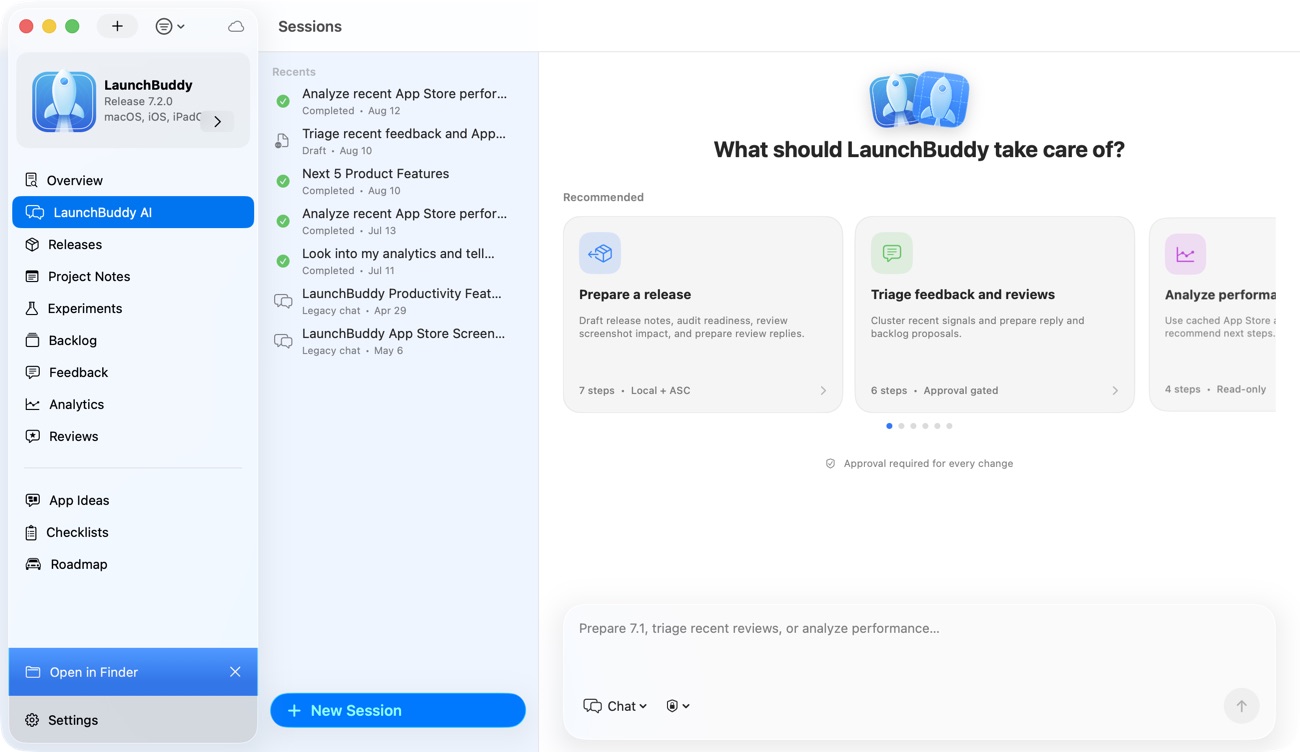
LaunchBuddy separates read access from write proposals across its supported automation surfaces:
- LaunchBuddy AI works on iPhone, iPad, and Mac. It requires Pro, is subject to usage limits, and pauses before supported actions change local data or write to App Store Connect.
- Shortcut and Siri actions are available on iPhone, iPad, and Mac. Read actions do not require Pro, while write actions require Pro and use the approval flow.
- The local MCP server is macOS-only. Its read tools do not require Pro; its write tools require Pro and create proposals before changes are applied.
- Pending AI, Shortcut, and MCP changes share an automation approval queue. Viewing approval status is free; creating write-action proposals requires Pro.
The Free portfolio is limited to two apps, two releases, and limited project notes, so “read without Pro” does not mean unlimited underlying data. Cached App Store review reads also depend on Pro and App Store Connect API credentials because the reviews integration has those requirements.
Supported AI actions include creating a release, creating or updating tasks, changing release status, drafting or updating a changelog, pushing approved release notes, sending an approved review reply, and creating ideas, experiments, or feedback. These are defined capabilities, not permission for autonomous writes.
Pro users choose whether private app notes, local project metadata, and project-note content may be included when relevant to an AI request. LaunchBuddy project data is stored in the user’s private iCloud account, but any context selected for an AI request is still disclosed to that AI workflow.
The App Store Connect features involved in reviews, analytics, release-note uploads, and AI review replies require LaunchBuddy Pro and App Store Connect API credentials. LaunchBuddy doesn’t build, sign, upload, or submit app binaries. Use Xcode, Transporter, Fastlane, or CI for that work, and treat App Store Connect as the authoritative Apple record. For the factual writing stage before an approved upload, use the AI release-notes workflow.
The LaunchBuddy MCP server guide covers its localhost and bearer-token boundaries. The iOS Shortcuts guide shows the equivalent read-first pattern on Apple devices.
Common approval-workflow failures
Treating a proposal as completed work
For LaunchBuddy write tools that create proposals, tool acceptance establishes only that the proposal entered the workflow. It does not establish approval or application.
Asking a person to approve hidden scope
If the reviewer cannot see the target and requested change, the UI transfers responsibility without transferring enough information to make a decision.
Approving every low-risk output
Too many prompts can make review routine and less careful. Gate side effects and sensitive decisions, while leaving authorized reads and private drafts outside the per-action queue when appropriate.
Skipping the rejection path
Test rejection before relying on approval. Confirm that underlying data remains unchanged and that the system does not retry until it gets a yes.
Reusing stale approval
An approval belongs to one payload, target version, reviewer, and validity window. Do not reuse it after parameters, permissions, or target state change.
Assuming human review removes AI risk
People can miss errors, defer to confident wording, or lack necessary context. NIST notes that human-AI interaction can produce varying results and that people need clear roles. A gate improves control only when the reviewer has evidence, authority, and a usable decision.
Test the workflow before trusting it
Run one low-impact action through every branch:
- A read returns the intended target.
- A draft does not change stored or external data.
- The approval UI renders the exact normalized operation and parameters.
- A changed parameter or target version invalidates the decision.
- The gated side effect cannot execute while pending; unrelated safe work can continue.
- Rejection leaves the target unchanged.
- Expired, cancelled, and superseded proposals cannot execute.
- An approval can be consumed only once.
- A retry does not duplicate the external action.
- Authorization is checked again at execution.
- A failed execution is not labeled complete.
- Verification reads from the authoritative destination.
For tool-based AI systems, the official MCP tools specification recommends a human in the loop who can deny tool invocations, confirmation prompts for operations, visible tool inputs, and audit logging. Those controls reinforce the same principle: a reviewer needs to know what the system is about to do before allowing it.
If you want approval-gated AI, Shortcut, and MCP changes connected to your iOS release plan, download LaunchBuddy on the App Store and start with one read-first workflow.