LaunchBuddy Free vs Pro: Which Plan Should You Choose?
Choose LaunchBuddy Free if you manage no more than two apps and two releases, can work within the project-note limit, and need only the default submission checklists. Choose Pro when you need unlimited apps, releases, or notes; custom checklists; App Store Connect tools; LaunchBuddy AI; ASO experiments; or supported write actions.
As of August 11, 2026, the LaunchBuddy plan comparison lists Pro at $2.99 per month or $19.99 per year. One subscription covers iPhone, iPad, and Mac, although some features are platform-specific.
App Store Connect workflows require API credentials, AI has usage limits, and the local MCP server runs only on macOS. Upgrade when Free blocks work you need now, not because Pro might become useful later.
LaunchBuddy Free vs Pro at a glance
| Area | LaunchBuddy Free | LaunchBuddy Pro |
|---|---|---|
| Apps | Up to 2 | Unlimited |
| Releases | Up to 2 | Unlimited |
| Project notes | Limited | Unlimited |
| Release planning and taskboards | Included | Included |
| Submission checklists | Default checklists | Default and custom checklists |
| iCloud sync | Included | Included |
| App Store Connect features | Not included | Reviews, downloads, revenue and subscription metrics, release-note upload, and review-to-task with API credentials |
| LaunchBuddy AI | Not included | App-aware chat, idea chat, editable artifacts, playbooks, and approval-gated actions; usage limits apply |
| ASO experiments | Not included | Included |
| Widgets | Read app, task, and release views | Reads plus task completion |
| Shortcuts and Siri | Read actions | Reads plus approval-gated write actions |
| Local MCP server | Read tools on macOS | Reads plus approval-gated write proposals on macOS |
| Price | $0 | $2.99 monthly or $19.99 yearly |
Both plans use the same core model: apps, version-scoped tasks, releases, and default submission checks on iPhone, iPad, and Mac. Pro changes capacity and adds connected or write-capable workflows.
What you can complete on the Free plan
Within its limits, Free supports a complete release-planning workflow:
- Organize tasks by app version and track release status.
- Apply default App Store submission checklists to releases.
- Sync apps, releases, tasks, and notes through your private iCloud account.
- View app, task, and release status in widgets and open the app-idea capture flow.
- Read LaunchBuddy data through Shortcuts and Siri on supported Apple devices.
- Run the localhost-only LaunchBuddy MCP server on macOS and use its read tools.
- View the status of automation approvals.
That is enough to build a repeatable iOS app release management workflow for a small portfolio. You can define a release, separate committed work from backlog ideas, apply the default checks, and follow progress from iPhone, iPad, or Mac without buying Pro.
The boundaries matter. Free supports two apps, two releases, and limited project notes. It does not include custom checklists, App Store Connect features, LaunchBuddy AI, ASO experiments, or write actions from widgets, Shortcuts, and MCP.
What Pro adds—and what each feature requires
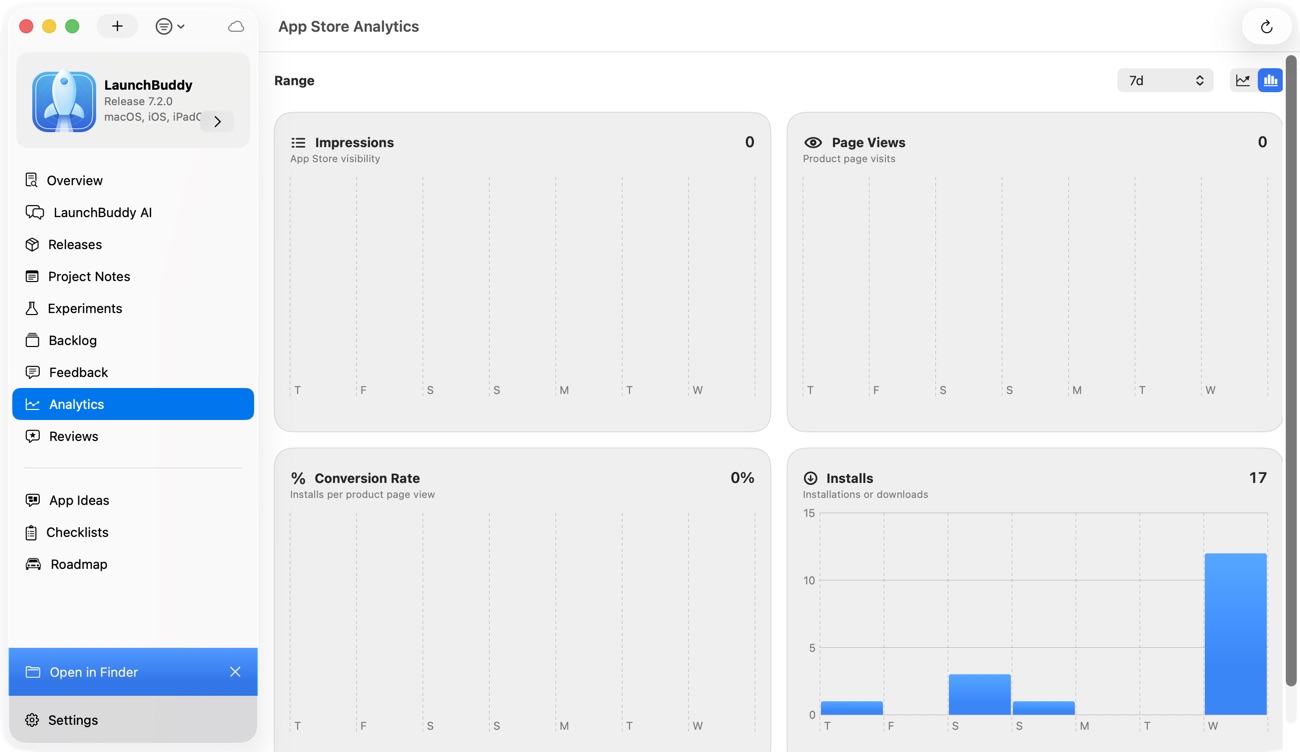
Pro removes the portfolio limits and adds workflows with different prerequisites.
Unlimited planning and custom checklists
Pro supports unlimited apps, releases, and project notes. It also lets you create custom submission checklists instead of relying only on the included defaults.
Custom checklists are useful when an app repeatedly needs checks that a general App Store list cannot know about: verifying a sync migration, testing a purchase path, updating an app-specific support page, or checking a non-obvious reviewer flow. LaunchBuddy adds the checklist tasks to releases; it does not inspect the binary or certify that a check passed.
App Store Connect features
With LaunchBuddy Pro and App Store Connect API credentials, you can use:
- The App Store reviews inbox and reply workflow
- Downloads, revenue, and subscription metrics from App Store Connect
- Release-note uploads after the copy is approved
- Review-to-task conversion
App Store Connect remains the authoritative Apple record. LaunchBuddy does not build, sign, upload, or autonomously submit an app binary. Use one of Apple’s documented upload workflows for the binary, and use App Store Connect for official submission state, TestFlight, pricing, availability, agreements, and Apple reporting.
LaunchBuddy AI
Pro includes app-aware chat, idea chat, agent plans and playbooks, and editable AI artifacts. AI features are subject to usage limits.
LaunchBuddy AI can use relevant selected context from apps, releases, tasks, feedback, experiments, reviews, and analytics. Users choose whether private app notes, local project metadata, and project-note content may be included when relevant.
A generated artifact is still a draft, not proof that a release is ready or that a product decision is correct.
Supported AI write actions pause for explicit approval before changing local data or writing to App Store Connect. External App Store Connect writes additionally require configured API credentials. The human-in-the-loop approval workflow explains why “proposed,” “approved,” “applied,” and “verified” should remain separate states.
ASO experiment records
Pro can track icon, screenshot, and copy tests with baseline and experiment metrics for each app. It records the hypothesis and evidence around an experiment. It does not create or run Apple’s Product Page Optimization tests, generate screenshots, or guarantee a ranking or conversion improvement.
Widget, Shortcut, and MCP writes
Read actions are available on Free and Pro. Widget task completion requires Pro.
Shortcut and Siri write actions also require Pro. Through approval, they can create supported ideas, experiments, feedback, backlog or release tasks, complete tasks, and update releases.
The local MCP server runs on macOS only. Reads are available without Pro; its Pro write tools create approval proposals before changes apply. An MCP client never mutates LaunchBuddy data directly. The server is not a cloud-hosted endpoint and does not run on iPhone or iPad. See the LaunchBuddy MCP server guide for the localhost, optional bearer-token, and approval boundaries.
Three workflows that make the plan choice concrete
Workflow 1: A first side project
Trail Notes is preparing its first public release:
App: Trail Notes
Release: 1.0
Needs:
- Version-scoped tasks
- A target date and release status
- Default submission checks
- iCloud sync between iPhone and Mac
- A release-status widget
Choose Free. Every listed requirement is part of the core workflow, and the app and release fit within the free portfolio limits.
Do not upgrade merely because you may want AI or App Store Connect data later. Run the complete release once. If the default checklist is sufficient and the planning workflow remains within the limits, Free still fits.
Record any friction as a specific blocked action:
Blocked action:
Why it matters:
How often it occurs:
Free workaround:
Pro feature that removes it:
Decision date:
“Pro looks useful” is not a purchasing trigger. “I need the same six app-specific checks on every update, and rebuilding them is causing omissions” is.
Workflow 2: One app with recurring App Store releases
Receipt Box ships frequent updates and needs:
App: Receipt Box
Current work:
- Reusable app-specific submission checks
- Customer review triage
- Downloads and subscription signals near the release plan
- Approved What's New uploads from iPhone
- AI-assisted drafts from completed release tasks
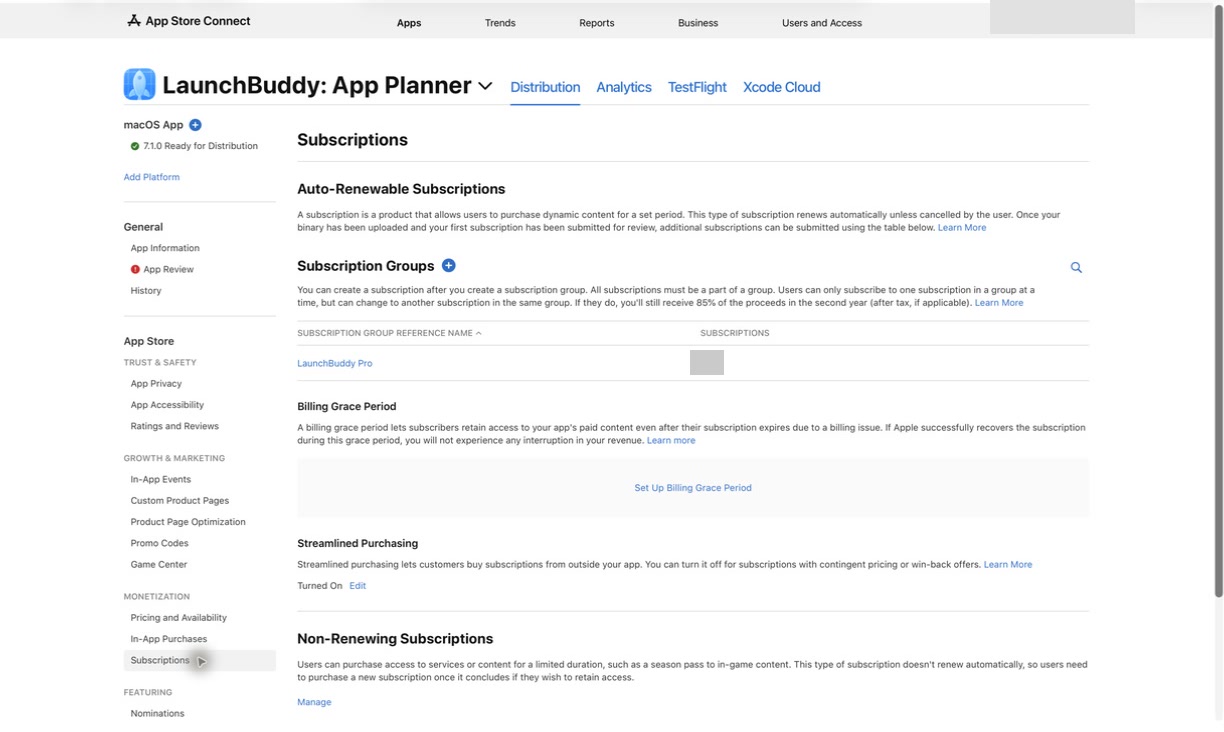
Choose Pro if those connected actions are part of the workflow. Custom checklists, App Store Connect features, and LaunchBuddy AI are Pro capabilities. The App Store Connect items also require API credentials.
Pro does not become mandatory merely because the app has shipped before. If the work still needs only release planning, default checklists, and iCloud sync, Free may be sufficient until the release limit becomes a blocker. Upgrade based on the required action, not the age of the app.
This workflow also needs a clean system boundary:
| Job | Source of truth |
|---|---|
| Scope, tasks, release plan, and checklist progress | LaunchBuddy |
| Build, TestFlight, App Review, pricing, and availability | App Store Connect and Apple’s tools |
| Detailed Apple metrics and financial reconciliation | App Store Connect |
| Draft or approved release copy kept with the release | LaunchBuddy |
The split prevents a convenient dashboard from being mistaken for Apple’s official record.
Workflow 3: A multi-app portfolio
A developer maintaining three live apps and planning a fourth has this portfolio:
Portfolio:
- Habit Garden: maintenance release
- Receipt Box: active hotfix
- Trail Notes: feature release
- New utility: validated idea

Needs:
- More than two managed apps and releases
- Separate notes and backlogs per app
- Custom submission checks for different risks
- Reviews and selected metrics near each app's plan
Choose Pro. The portfolio exceeds the verified free limits before considering any connected feature. Unlimited apps, releases, and project notes make Pro the relevant plan. Custom checklists and App Store Connect workflows add further value if you use them.
Pro supports a larger portfolio, but it does not prioritize apps, provide real-time team collaboration, or replace a team issue tracker.
A five-question upgrade test
Use this sequence when Free starts to feel constrained:
- Did you hit a documented limit? More than two apps or releases, or the need for unlimited project notes, is a direct capacity trigger.
- Do you need a custom checklist repeatedly? A one-off extra task can stay a task. A stable, app-specific release process is a stronger reason for a reusable custom checklist.
- Is the missing action part of App Store Connect integration? Reviews, selected analytics, review-to-task, and release-note upload require both Pro and API credentials.
- Will you use AI or a supported write action now? Pro unlocks these capabilities. AI usage limits still apply, and AI, Shortcut, Siri, and MCP writes retain their documented approval boundaries.
- Is the limitation actually outside LaunchBuddy? Pro will not add binary upload, autonomous submission, CI, team roles, or direct GitHub, Jira, Linear, or Slack integrations.
If every answer is no, stay on Free. If one answer is yes, test whether that blocked action is frequent and important enough to justify upgrading. This keeps the decision tied to work you already do.
Monthly or yearly Pro?
At the prices listed on August 11, 2026:
Monthly for 12 months: 12 × $2.99 = $35.88
Yearly:                         $19.99
Difference:                     $15.89
The monthly option costs less upfront and suits a short evaluation. The yearly option saves $15.89 over 12 monthly payments at these prices. Pricing can change, so confirm the amount shown in the app or on the website before subscribing.
One subscription covers iPhone, iPad, and Mac. That does not mean every capability runs everywhere: MCP hosting is macOS-only, while feature availability otherwise depends on the documented platform support.
The published product facts do not specify what happens to data above the Free limits after a Pro subscription ends. If downgrade behavior matters to your decision, confirm it in the current app or with LaunchBuddy support before relying on an assumption.
The practical verdict
Start with Free for planning, default checks, iCloud sync, widgets, or read-only Shortcuts within the portfolio limits. Free also includes read-only MCP tools on macOS.
Choose Pro for a specific blocker: portfolio capacity, custom checklists, App Store Connect actions with API credentials, AI within its usage limits, ASO experiments, or supported automation writes. Pro still does not build, upload, or submit an app.
If Pro now removes a specific blocker in your release workflow, download LaunchBuddy and choose the plan that fits your next release.