Version 7.4.0
LaunchBuddy finds the leak
Analytics now opens on a conversion funnel that shows where people drop off between seeing your app and paying for it. Plus App Store KPIs, subscription health, a tidier sidebar, and task import from Jira, Linear, and GitHub.
Follow the funnel
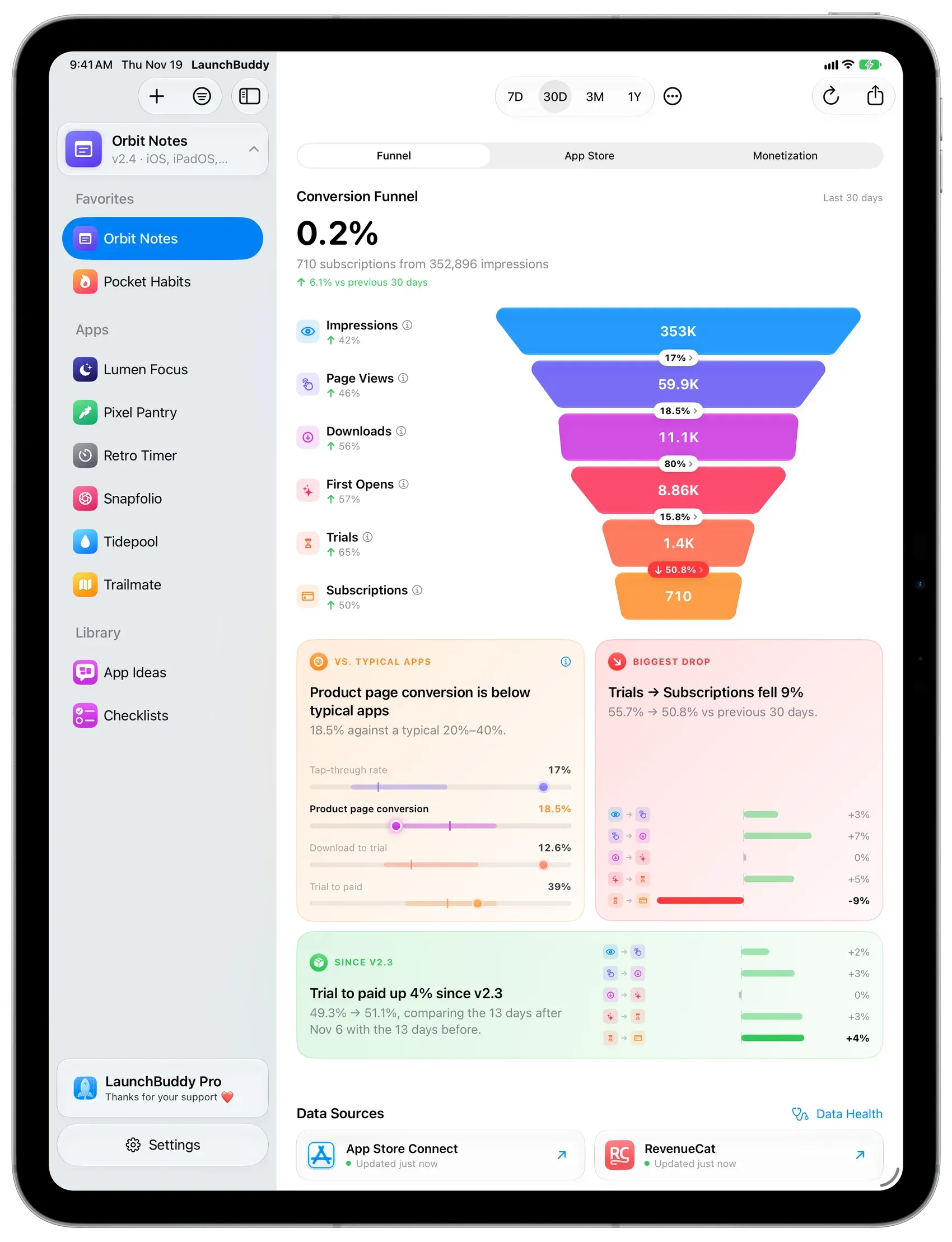
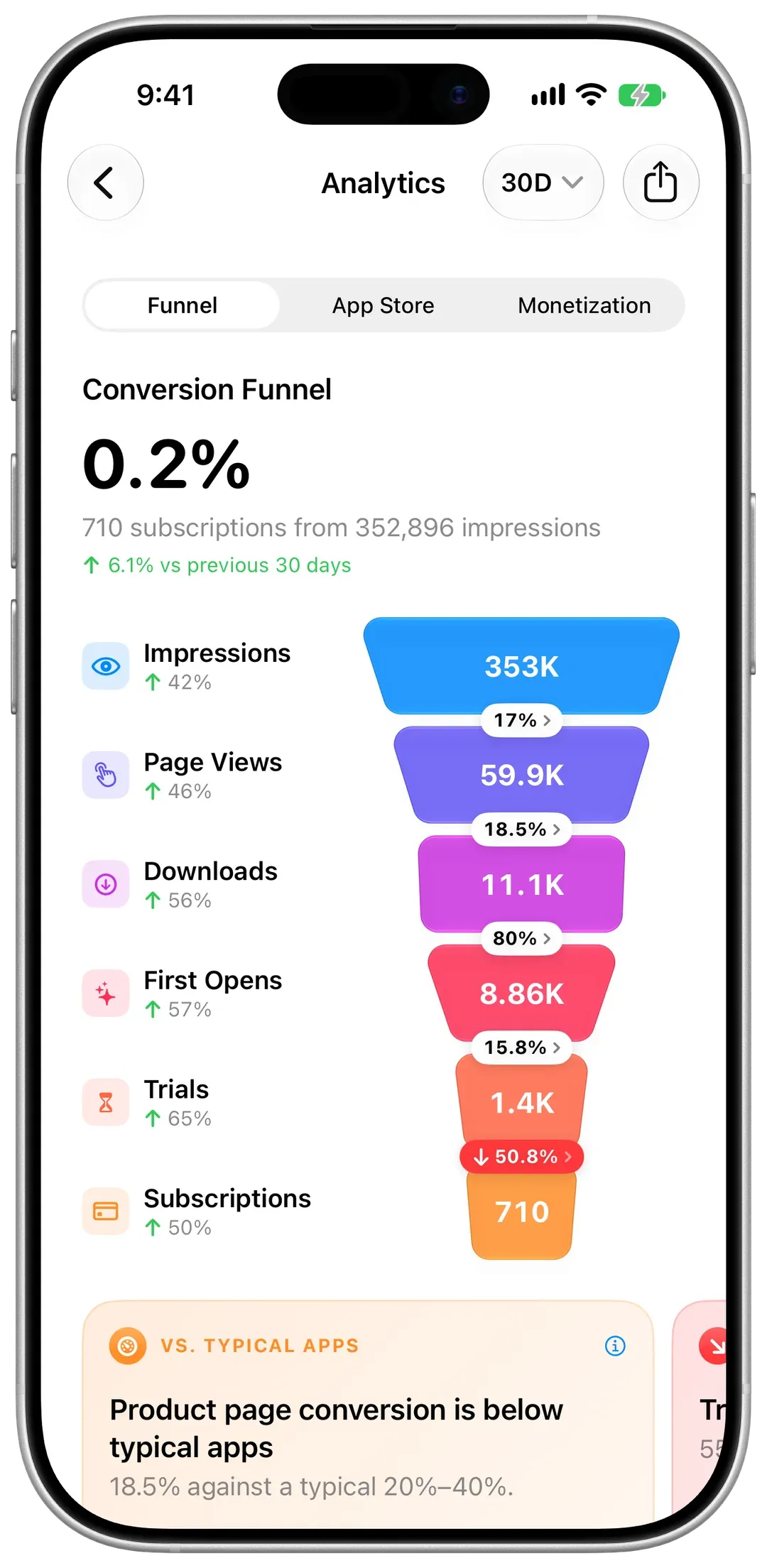
Analytics now opens on a Funnel tab: impressions, page views, downloads, first opens, trials, and subscriptions, stacked in one place. Every step is held up against published benchmarks, and the step that dropped the most gets the spotlight. Tap any rate to see how it changed over time. Finally, a good reason to stare at numbers.
Analytics got a glow-up
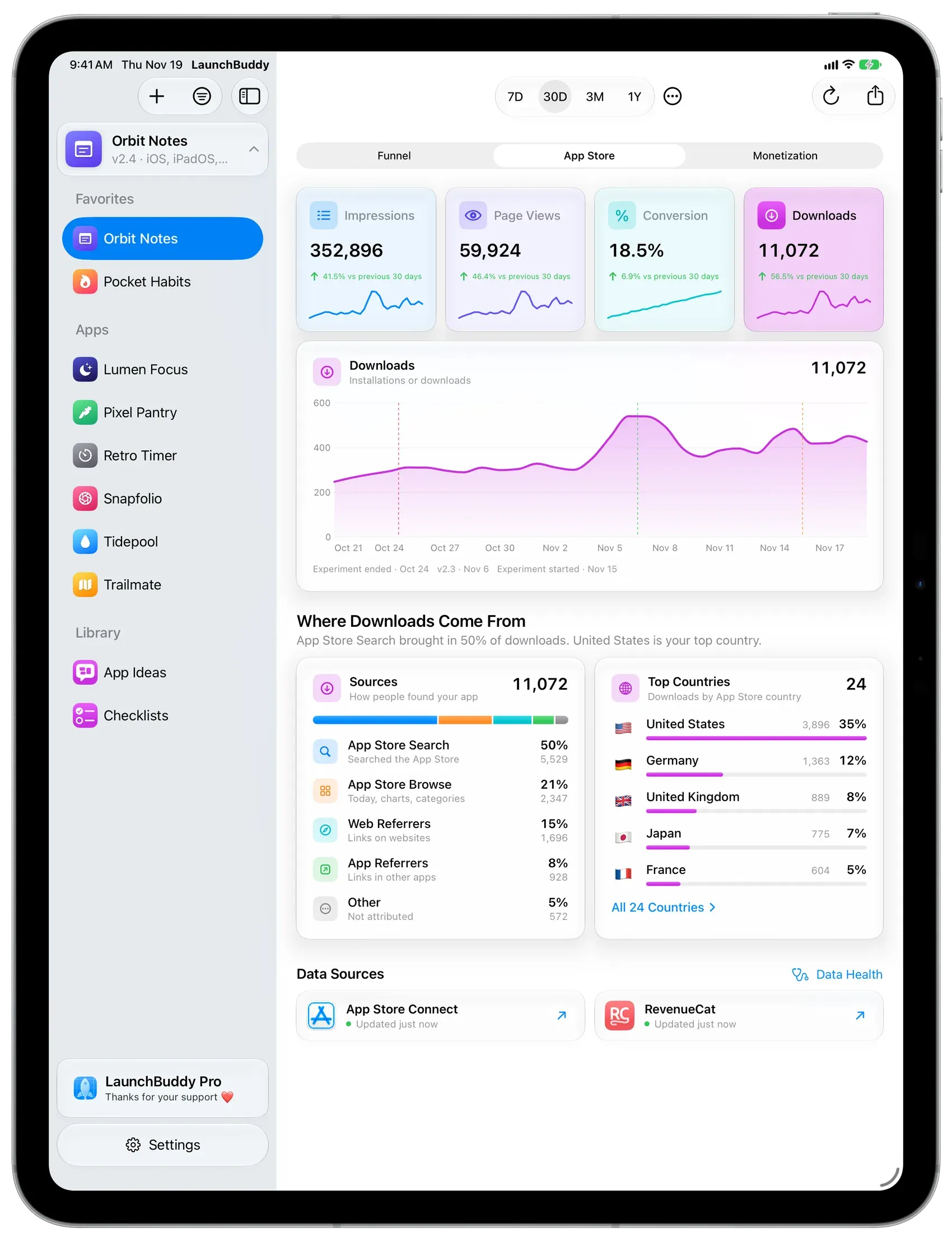
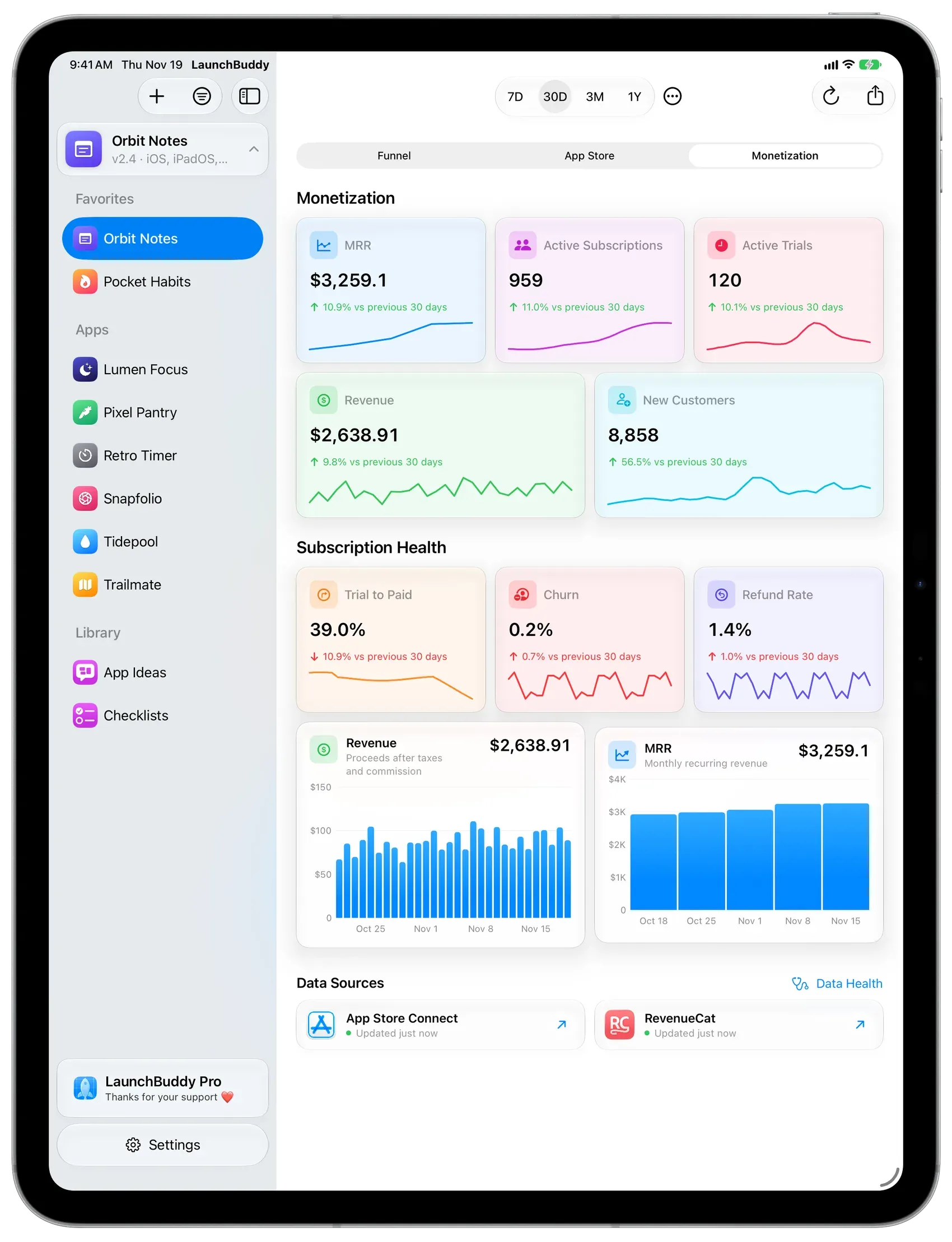
The App Store tab leads with a KPI grid that switches the main chart, and release and experiment markers now show up on every chart. A new section shows where your downloads actually come from: App Store search, browse, referrers, and your top countries. Over on Monetization, Subscription Health from RevenueCat tracks trial to paid, churn, and refund rate. You can also share the funnel as an image or export the daily numbers as CSV.
A tidier sidebar
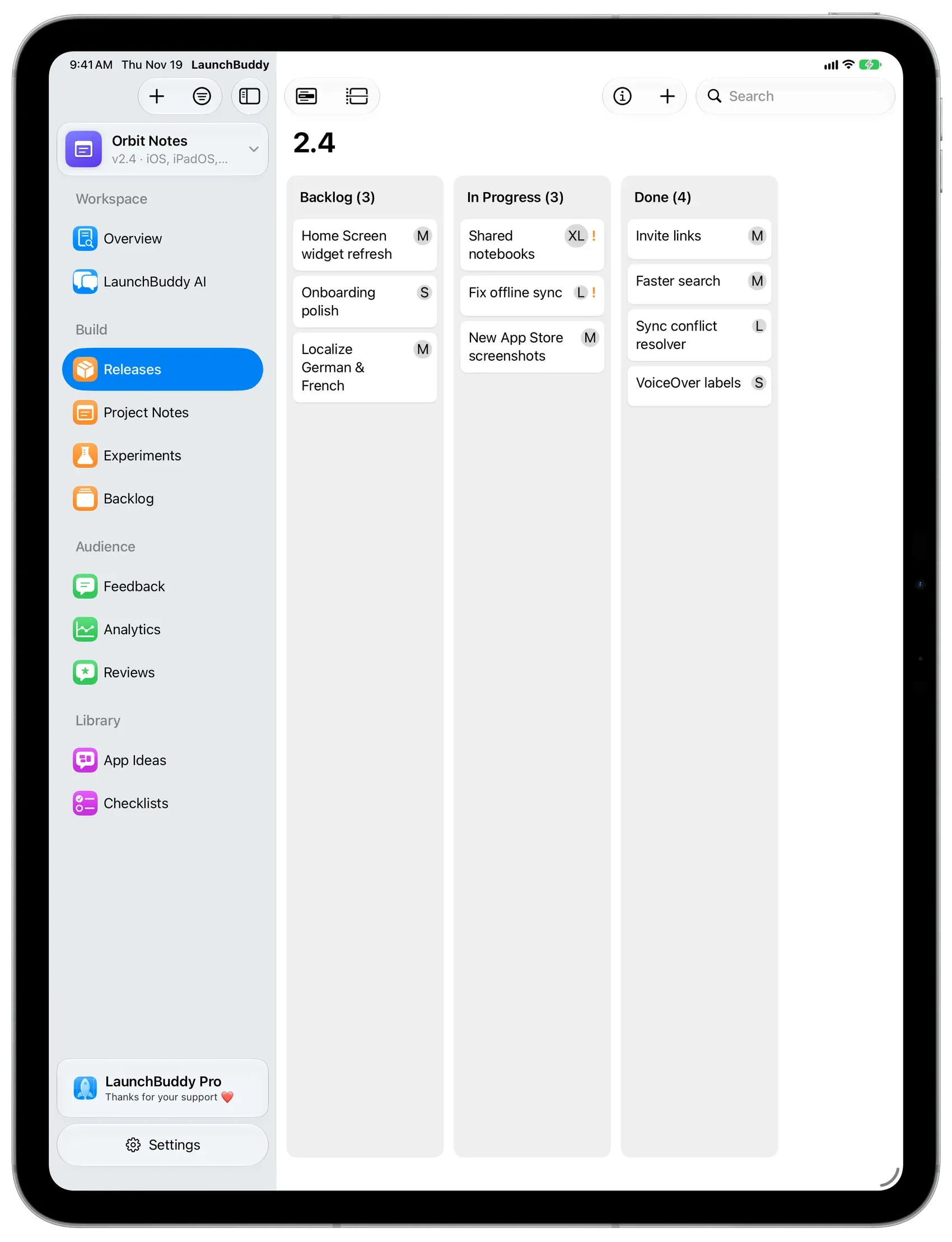
On Mac, iPad, and unfolded iPhone Duo, the sidebar is sorted into Workspace, Build, Audience, and Library. The app you are working on gets the regular selection highlight, and its header doubles as a switcher, so jumping to another app takes one click and zero hunting.
Moving in? Bring your tasks
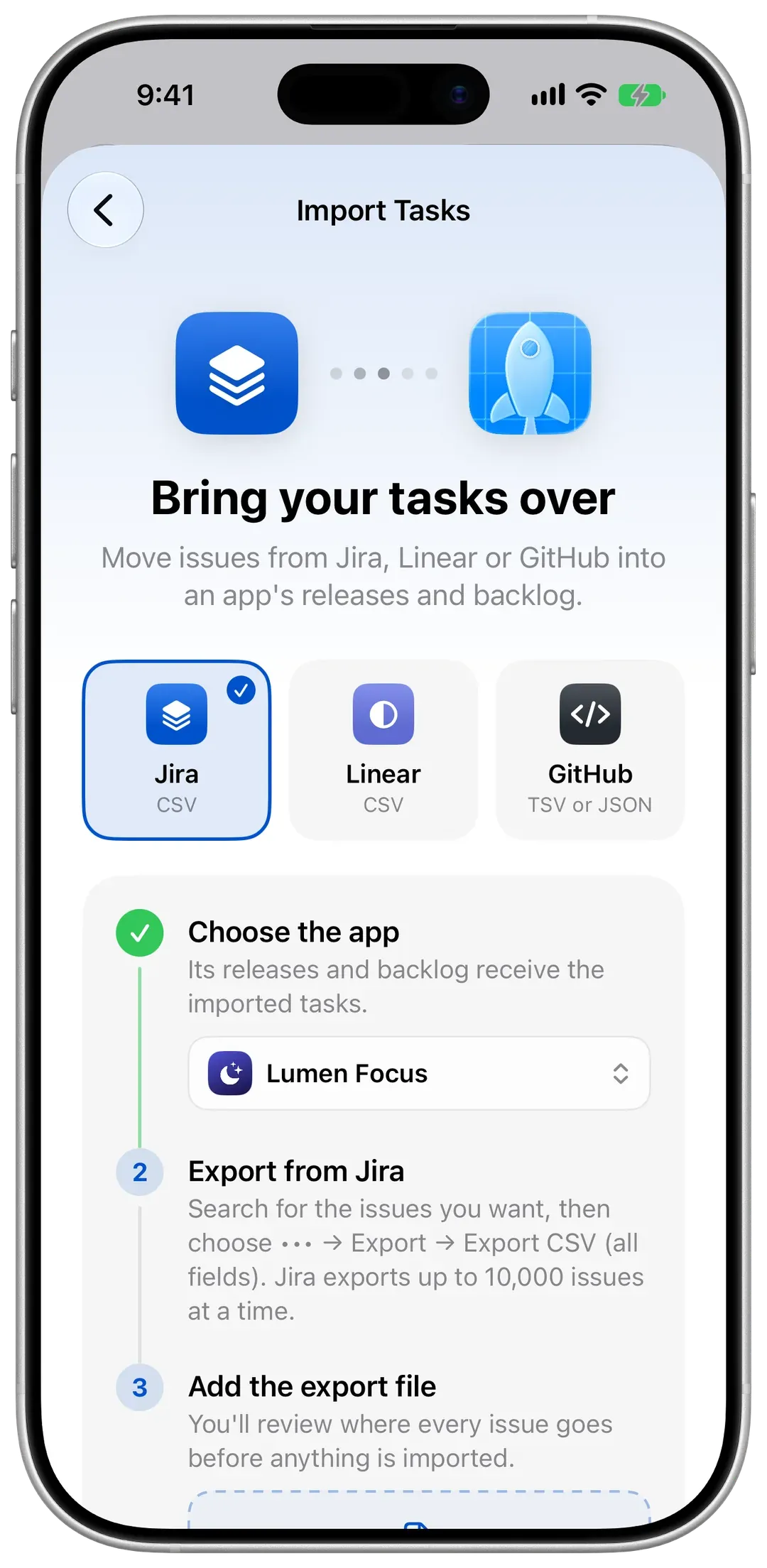
Import Tasks lives in Settings now. Pick an app, export your issues from Jira, Linear, or GitHub, and drop in the file. You review where every issue goes, releases or backlog, before anything is imported.
Bugfixes
Fixed a crash on launch that hit some Macs while iCloud sync was starting up, and a widget crash during the same setup. Plus a handful of smaller bugs nobody will miss.