Custom Product Pages vs Product Page Optimization: Which Should You Use?
Custom Product Pages target a message to selected traffic; Product Page Optimization randomly tests creative on the default product page. Use a custom page for audience, campaign, or keyword relevance. Use Product Page Optimization for evidence about whether an icon, screenshot, or preview treatment changes default-page conversion. Apple doesn’t allow Product Page Optimization tests on custom product pages.
Custom Product Pages vs Product Page Optimization at a glance
| Question | Custom Product Pages | Product Page Optimization |
|---|---|---|
| Primary purpose | Tailor a page to an audience, campaign, or selected search keywords | Compare treatments with the original default page |
| Traffic model | People arrive through a unique URL or an assigned App Store search keyword | Apple randomly assigns a chosen share of eligible traffic |
| Page relationship | A separate, localizable product page | A temporary treatment of the default product page |
| Creative options | Screenshots, app previews, and promotional text; approved-version keywords are a routing control | App icon, screenshots, and app previews |
| Scale | Up to 70 pages per app | Up to three treatments in one test |
| Measurement | Page-level views, downloads, conversion, proceeds, and downstream metrics | Estimated conversion rate, relative lift, credible interval, confidence, and treatment status |
| Best question | “Does this audience need a different message?” | “Does this treatment convert default-page traffic better?” |
| Main limitation | Comparing pages doesn’t create a randomized experiment | Tests can’t run on custom product pages and end within 90 days |
Both features are configured in App Store Connect. Apple’s interface and rules can change, so check the linked documentation before preparing or submitting assets.
What is a custom product page?
A custom product page is a separate version of an app’s App Store page. According to Apple’s current Custom Product Pages documentation, each page can have different screenshots, app previews, promotional text, and localizations, plus an automatically generated unique URL. Keywords from the latest approved app version can be assigned separately.
People see a custom page in either of two documented ways:
- They follow its unique link from a campaign, website, email, social post, or other referral.
- They search an assigned keyword after the page has been approved, made visible, and linked to that keyword in App Store Connect.
Otherwise, Apple shows the default product page. That makes a custom page useful when one app serves audiences with meaningfully different reasons to download.
Consider a meal-planning app with two acquisition messages:
- A family-focused ad highlights shared shopping lists.
- A fitness newsletter highlights meal-prep scheduling.
Sending both audiences to one generic page can reduce message continuity. Two custom product pages can continue each campaign’s promise with relevant screenshots and promotional text. This is segmentation, not an A/B test: the audiences, sources, or keywords may differ before they reach the pages.
Apple allows up to 70 custom product pages per app, but the limit isn’t a target. Every additional page creates assets, localization, review, measurement, and maintenance work. Create one only when you can name its audience, entry path, distinct message, and retirement rule.
Keyword assignments use terms from the latest approved app version. They can make a custom page appear instead of the default page when customers search those terms, but they don’t replace the discovery work of selecting relevant keywords. Keep that work in a separate App Store keyword field process.
What is Product Page Optimization?
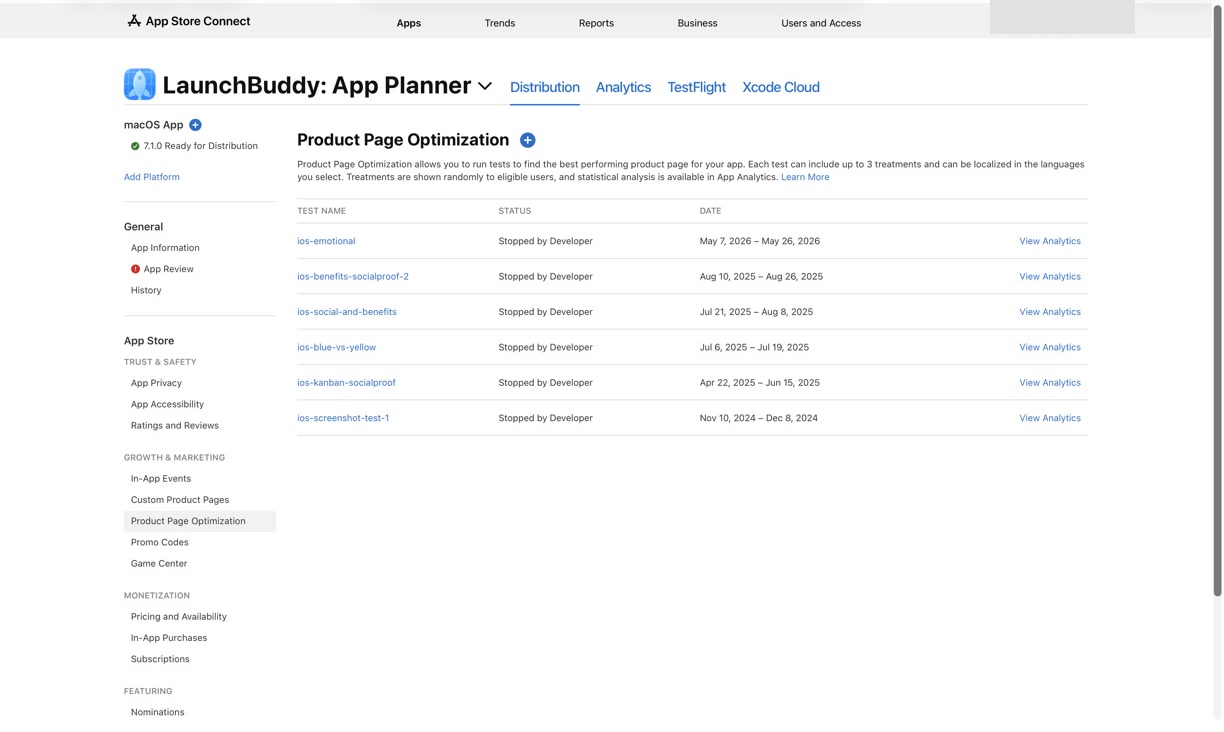
Product Page Optimization is Apple’s randomized test for the default product page. Apple’s Product Page Optimization overview says a test can compare the original with up to three treatments containing different icons, screenshots, or app previews. You choose the treatment traffic proportion, and Apple divides it equally among the treatments during the test.
The app must be live on the App Store with Pre-Order Ready for Distribution or Ready for Distribution status. Tests run for no more than 90 days and aren’t available for custom product pages, Apple Watch pages, or iMessage pages. Alternate test icons must already be in the live binary. Apple also warns that a new app version may affect a running test if it changes assets or metadata under test.
For test design, traffic allocation, and result interpretation, use the complete App Store Product Page Optimization workflow.
Choose the feature by the decision you need to make
Don’t begin with “Which feature has more options?” Begin with the decision that the evidence must support.
Use a custom product page for message-to-audience fit
Choose a custom product page when:
- A paid campaign promises a feature that deserves its own screenshots.
- A partner, creator, or newsletter needs a durable page URL.
- Different search keywords represent distinct use cases.
- A specific audience within a localization needs different positioning, screenshots, or promotional text.
- You want to compare acquisition and downstream behavior by page or audience.
The result can tell you how traffic associated with that page behaved. It can’t tell you that the page itself caused a difference when the audiences or acquisition sources were different.
Use Product Page Optimization for a default-page conversion test
Choose Product Page Optimization when:
- The default page receives enough eligible traffic to test a treatment.
- You have one clear creative hypothesis.
- You need randomized evidence rather than a before-and-after comparison.
- The candidate change is an icon, screenshot, or app preview.
- You can record releases, campaigns, and traffic-mix changes that may affect how broadly the result applies.
Apple’s Product Page Optimization analytics reports estimated conversion rate, estimated relative lift, a 90% credible interval, confidence, and statuses such as Collecting Data, Performing Better, Performing Worse, and Likely to be Inconclusive. A positive lift estimate alone isn’t a supported winner.
Use both, but keep the questions separate
You can operate custom product pages while a default-page optimization test is running. Visitors directed to a custom page remain on that page rather than entering the default-page test. What you can’t do is run the optimization test on a custom page.
A useful combined plan might be:
- Create a custom page for traffic from a focused campaign.
- Run a separate screenshot treatment on the default page.
- Label the page, source, territory, localization, and dates in every record.
- Read each result in its own analytics view.
- Make one decision about the campaign page and another about the default-page treatment.
Don’t combine both into “the new creative increased conversion.” The custom page and treatment received traffic through different mechanisms, so they answer different questions.
Compare the analytics without mixing denominators
Apple’s Custom Product Pages analytics includes product page views, downloads, conversion rate, proceeds, and downstream subscription and sales metrics. You can filter or segment by dimensions such as territory, source type, and device. Data for a page appears after at least five first-time downloads.
Product Page Optimization uses a test-specific model. Apple compares each treatment with a selected baseline and estimates conversion, relative lift, confidence, and a credible interval. Test results also begin appearing after at least five associated first-time downloads.
Custom-page Analytics uses Apple’s standard conversion rate, filtered by product page. Product Page Optimization reports an estimated conversion rate and relative lift for randomized variants. The labels look similar, but the percentages describe different evidence designs.
That shared five-download reporting threshold doesn’t make the analyses interchangeable:
- Custom page evidence is segmented. A campaign page may outperform the default page because its visitors arrived with stronger intent.
- Optimization evidence is randomized. Eligible users are divided between variants during the test.
- Aggregate conversion can hide the traffic mix. A campaign can change the proportion of high- and low-intent visitors even when no page becomes more persuasive.
- Downstream value is a separate question. More downloads don’t automatically mean stronger retention, subscriptions, or proceeds.
Before comparing any percentages, confirm their definitions, date ranges, territories, sources, pages, and populations. The App Store Connect analytics guide explains how Apple’s acquisition metrics differ and how to avoid mismatched comparisons.
A worked decision: the same app needs both features
Return to the meal-planning app. Its default page describes weekly planning, while a coach wants to promote the app’s meal-prep workflow to strength trainees.
Question 1: Should the coach’s audience see a tailored page?
The developer creates a custom product page:
Audience: Strength trainees following one coach
Entry path: The coach's newsletter and profile link
Message: Prepare a week of training meals
Changed assets: Promotional text and two meal-prep screenshots
Context period: Four complete pre-campaign weeks (descriptive, not a control)
Primary evidence: Page views, first-time downloads, and conversion by source
Guardrails: Retention and subscription performance
Decision date: After the campaign and reporting window are complete
The page-level result describes this campaign’s audience and traffic. It doesn’t prove that the same screenshots would improve the default page because newsletter readers weren’t randomly sampled from default-page visitors.
Question 2: Should the default page lead with weekly planning?
Separately, the developer runs one Product Page Optimization treatment:
Audience: Eligible default-page traffic in US English
Hypothesis: “Plan seven dinners in ten minutes” explains the weekly outcome faster
Treatment: Replace only the first screenshot
Traffic allocation: 50% to the single treatment
Primary evidence: Apple's treatment status, estimated conversion, and credible interval
Decision: Apply only if the treatment is Performing Better and the plausible effect is useful
Fallback: Keep the original if worse; record inconclusive if confidence never resolves
This randomized result addresses the default-page screenshot. Keeping it separate prevents a successful coach campaign from being misread as proof that the treatment won.
Use the same format, but create separate records
A compact template keeps each decision understandable after dashboards and assets change:
Decision question:
Feature: Custom Product Page | Product Page Optimization

Audience and localization:
Entry path or eligible traffic:
Page URL or App Store Connect test name:

Hypothesis:
Original experience:
Changed assets:
Deliberately unchanged:

Start and end dates:
Release, campaign, pricing, or featuring events:

Apple evidence:
- Page/source metrics OR treatment metrics:
- Reporting threshold met:
- Uncertainty or missing data:

Downstream evidence:
- Retention:
- Subscription or proceeds:

Decision: Keep | apply | revise | disable | inconclusive
Reason:
Next question:
For a custom page, fill in the entry path and page-level segments. For Product Page Optimization, record treatment allocation, baseline, confidence, and credible interval. Never backfill the original hypothesis after seeing the outcome.
Where LaunchBuddy fits, and where it doesn’t
App Store Connect creates custom pages, runs Product Page Optimization, routes traffic, and provides the feature-specific analysis. LaunchBuddy doesn’t create either feature, assign page keywords, upload screenshots, or reproduce Apple’s custom-page or test results.
LaunchBuddy Pro can separately track icon, screenshot, and copy tests with baseline and experiment metrics for each app. It costs $2.99 per month or $19.99 per year. With App Store Connect API credentials, its dashboard can show downloads, revenue, and subscription metrics. Use App Store Connect Analytics for custom-page segmentation, Product Page Optimization confidence, and official metric definitions, and use Payments and Financial Reports for reconciliation.
Frequently asked questions
If both features run together, which page does a campaign visitor see?
A visitor who follows a custom product page URL sees that custom page, not a treatment in the default-page test. Product Page Optimization remains unavailable on custom pages.
Does assigning keywords to a custom page replace the App Store keyword field?
No. Apple lets you assign terms from the latest approved app version to a custom page. The assignment changes which page may appear for those searches; it doesn’t create new keyword metadata or prove that a term is relevant.
Can a Product Page Optimization winner be copied to a custom product page?
You can manually reuse compatible screenshot or app-preview creative in a custom page, but that creates a new audience context rather than extending the randomized result. Apple’s Apply Treatment action copies only screenshots and app previews to the original page. A tested icon must become the default icon in a future app version.
Pick the question before the App Store feature
Match the feature to the evidence you need. If you use both, preserve two hypotheses, two traffic definitions, and two decisions.
To keep ASO experiment context and outcomes beside your app’s release work, download LaunchBuddy on the App Store.

