
App Store Localization Workflow for Indie iOS Developers
July 6, 2026
An App Store localization workflow is one of the highest-leverage ways for indie iOS developers to improve discovery without turning every release into a giant marketing project.
Localization does not only mean translating the app itself. App Store Connect also lets you localize the product page: app name, subtitle, keywords, description, screenshots, app previews, promotional text, and release notes. Those fields can affect how people find your app, whether they understand it, and whether they trust it enough to download.
The hard part is keeping localized metadata connected to the release you are actually shipping. A translated description is not helpful if the screenshots are stale. A localized keyword field is risky if it is copied from English without market research. AI can help create first drafts, but it needs real release context and human review.
That is where LaunchBuddy fits. It is built as a project management app for iOS developers, and with App Store Connect integration and AI features, it can help keep localization tasks, release checklists, App Store metadata, and final copy decisions organized around each version.
The SEO opportunity: App Store localization workflow
“App Store localization workflow” is a valuable keyword because it captures developers who already understand that localization is more than translation. They are trying to manage the repeatable process around localized App Store metadata.
Related keyword opportunities include:
- App Store localization workflow
- App Store metadata localization
- iOS app localization checklist
- App Store Connect localization
- ASO localization
- App Store keyword localization
- localized App Store metadata
- AI App Store localization
- App Store localization management
- iOS release localization workflow
Search intent around this topic is practical. Developers want to know which App Store fields need localization, how to avoid keyword mistakes, how App Store Connect fits into the process, and how automation or AI can reduce the work without lowering quality.
That makes it a strong fit for LaunchBuddy because localization is not only a copywriting task. It is a release-management task with App Store Connect state, screenshots, checklists, review timing, and follow-up decisions.
App Store localization is not the same as app localization
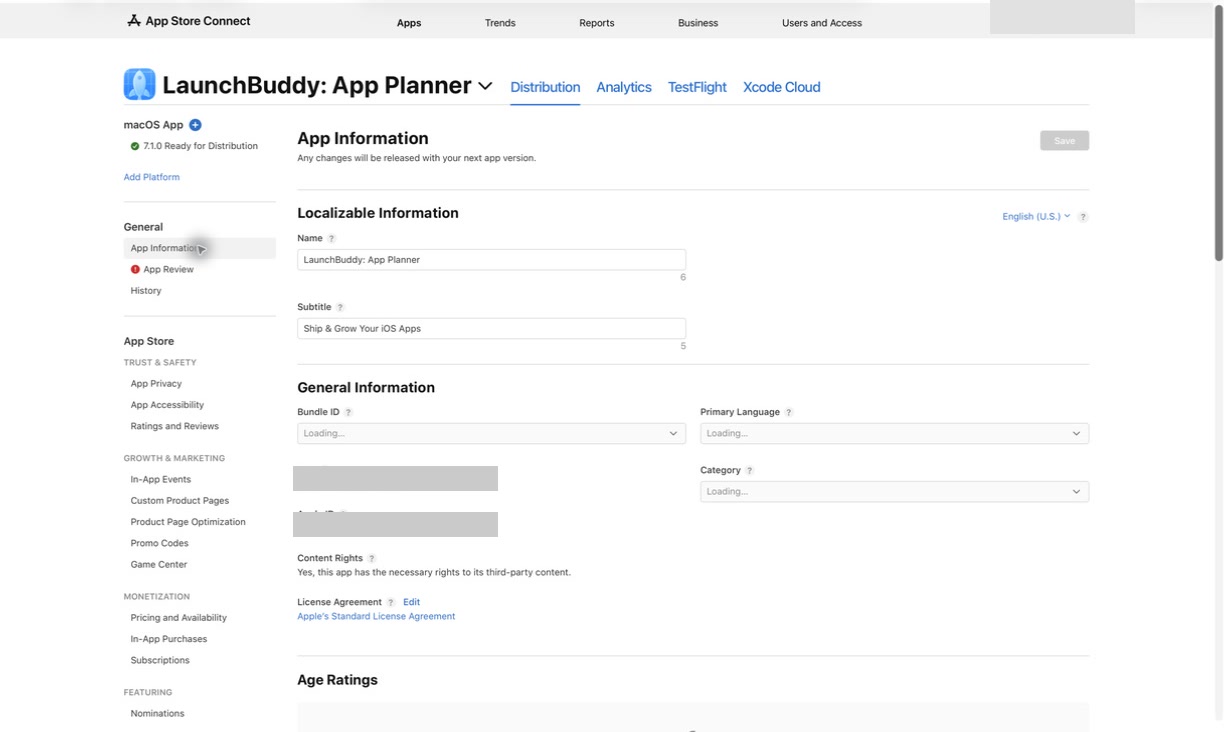
Before building the workflow, separate two related ideas:
App localization:
- Localized strings in the app
- Date, number, and currency formatting
- Right-to-left layout support
- Localized onboarding and support content
- Region-specific product behavior

App Store localization:
- Localized app name
- Localized subtitle
- Localized keywords
- Localized description
- Localized promotional text
- Localized screenshots and app previews
- Localized release notes
Both matter, but they move at different speeds.
Full app localization may require engineering work, QA, translation review, screenshots, and support preparation. App Store metadata localization can often start earlier because it happens in App Store Connect and does not always require changing the Swift code.
That makes metadata localization attractive for indie developers. You can test positioning in a new market, improve search relevance, or prepare a localized launch campaign before the whole app is translated.
It also creates risk. If the store page promises a localized experience that the app does not provide, users will notice quickly. A good workflow keeps the product page honest about the app experience.
Start with the market, not the translation
The most common localization mistake is treating English metadata as the source of truth and translating it word for word.
That approach misses how people actually search. A term that works in the United States may be too literal, too formal, too competitive, or simply not the phrase users type in another market.
Before writing localized metadata, define:
- Target country or region
- Target language
- Audience segment
- Primary use case
- Competitor set in that market
- Local search terms
- Local feature expectations
- Support expectations
- Whether the app itself is localized
This matters most for ASO. App Store keywords are not a translation exercise. They are a market research exercise.
For example, an English productivity app might describe itself with “task manager,” “planner,” or “project management.” In another market, the best search term may be closer to “to-do list,” “work organizer,” “habit planner,” or a native phrase with different intent.
The right workflow asks: what would a real user in this market search for when they need this app?
Build localization around the release version
Localized metadata should not live as a separate project that drifts away from the app release.
For each version, track:
- Which locales are affected
- Which App Store fields need updates
- Which screenshots or app previews need localized captions
- Which new features need translated explanation
- Which old claims are no longer true
- Which keyword fields need review
- Which release notes need localization
- Which App Review notes need context
- Which post-release metrics should be checked by market
The release version gives localization a boundary. If version 3.2 adds a new onboarding flow, the localization work is not “translate the whole product page again.” It is “update the fields that mention onboarding, verify screenshots, localize release notes, and review keywords if positioning changed.”
That boundary keeps the work smaller and easier to finish.
For a broader release structure, read the iOS app release management guide. For metadata-specific planning, use the App Store metadata management guide.
A practical App Store localization workflow
Here is a repeatable workflow for indie iOS developers managing localized App Store metadata through App Store Connect.
1. Pick the target locale
   - Country or region
   - Language
   - App Store availability
   - Current app localization status
   - Support readiness

2. Research the market
   - Local competitor listings
   - Search terms users actually use
   - Feature language in that market
   - Common category words
   - Cultural or regulatory expectations

3. Map the metadata fields
   - App name
   - Subtitle
   - Keyword field
   - Description
   - Promotional text
   - Screenshots
   - App previews
   - What's New text

4. Draft localized copy
   - Start from product truth, not literal translation
   - Adapt benefits for the market
   - Keep visible fields natural
   - Keep keyword fields concise and relevant
   - Mark uncertain phrases for native review

5. Review against the selected build
   - Does every claim match the release?
   - Do screenshots show current UI?
   - Are features available in the target language?
   - Are release notes accurate?
   - Are support expectations realistic?

6. Prepare App Store Connect
   - Add or update the localization
   - Enter localized metadata
   - Upload localized screenshots
   - Confirm version-level fields
   - Check App Review timing

7. Submit and monitor
   - Track review status
   - Verify the live localized product page
   - Monitor impressions, product page views, and conversion
   - Save learnings for the next release
The important habit is that localization work moves through the same release system as development work. It should not be a folder of copy drafts that only one person remembers.
Treat each App Store field differently
Not every localized field has the same job.
App name
The app name is visible, indexed, and tied directly to brand trust. Localize it carefully.
If your brand name should stay the same, do not force a translation. If the name includes a descriptive phrase, consider whether that phrase should be adapted for the market.
Subtitle
The subtitle is short, visible, and important for positioning. It should explain the app in natural local language, not cram in every keyword.
For LaunchBuddy, a subtitle-style idea in English might focus on “ship iOS apps faster” or “plan App Store releases.” In another market, the best phrasing may emphasize “release checklist,” “project planning,” or “developer tasks” depending on local search behavior.
Keyword field
The keyword field is hidden from users but important for search. This is where localization often goes wrong.
Avoid:
- Translating English keywords literally
- Duplicating words already covered by name or subtitle without a reason
- Using competitor names
- Filling space with vague terms
- Mixing unrelated search intents
- Reusing the same keyword list across locales
Use the App Store keyword field guide for a field-specific checklist.
Description
The description is mostly about conversion. It should help users understand the app, trust it, and decide whether it fits their problem.
A localized description should adapt:
- The first few lines
- Feature explanations
- Benefits
- Examples
- Tone
- Support expectations
- Any market-specific constraints
Do not let AI or machine translation turn the description into polished nonsense. If the app is only partially localized, the description should not imply a fully localized experience.
Screenshots and app previews
Screenshots carry more weight than developers sometimes expect. A localized description next to English-only screenshots can feel unfinished.
For each locale, verify:
- Screenshot text
- Device frames
- UI language
- Feature order
- Claims in captions
- Any regional formatting
- Whether the selected build still matches the visuals
If screenshot localization is too much for a first pass, be explicit in your scope. Do not let “metadata localization” quietly become “all visual assets for every market” the night before submission.
Release notes
Localized release notes should match the actual update. They are not a place to repeat generic marketing copy.
A useful workflow is:
1. Write final release notes in the source language.
2. Confirm they match the selected build.
3. Mark internal-only changes that should not be translated.
4. Draft localized versions.
5. Review for natural language and accuracy.
6. Save the final localized notes with the release.
For writing help, read AI release notes for iOS apps and App Store release notes generator.
Where AI helps with App Store localization
AI can make localization workflows much faster, especially when the source material is organized.
Good AI-assisted tasks include:
- Creating first-pass localized descriptions
- Turning task lists into localized release notes
- Suggesting subtitle alternatives
- Brainstorming market-specific keyword candidates
- Rewriting overly technical copy
- Summarizing what changed in a release
- Creating screenshot caption variations
- Comparing localized drafts against the source message
AI is less reliable when it is asked to decide market fit, keyword value, cultural nuance, or legal accuracy on its own.
A safer prompt looks like this:
Draft App Store metadata ideas for the French localization.

App: LaunchBuddy
Audience: Indie iOS developers
Current release: 2.4
Release goal: Improve App Store Connect release tracking and AI-assisted release notes.
Supported experience: The app UI is available in English. The App Store listing is being tested in French.

Source positioning:
- Project management for iOS developers
- App Store Connect release context
- Release checklists
- AI-assisted release notes and metadata drafts

Return:
1. Three subtitle options under 30 characters
2. Keyword candidates grouped by intent
3. A localized description draft
4. Phrases that need native-speaker review

Do not imply that the app UI is fully localized.
Do not invent features.
That prompt gives AI boundaries. It can draft and suggest, but the developer still reviews the language, market fit, and product claims.
For a broader AI release workflow, read AI App Store Connect workflow.
Keep App Store Connect status connected to localization tasks
Localization is easy to underestimate because App Store Connect separates fields across pages, versions, platforms, and localizations. A developer may update the description but forget screenshots. Or localize release notes but miss the keyword field. Or add a new locale without checking whether it needs App Review approval with the current version.
That is why the workflow should track status close to the release:
- Locale added in App Store Connect
- Metadata draft complete
- Native-language review complete
- Keyword field reviewed
- Screenshots localized or intentionally skipped
- Release notes localized
- Selected build checked
- App Review notes updated
- Submission status tracked
- Live product page verified
App Store Connect is the source of truth for what Apple stores and reviews. LaunchBuddy can act as the working layer around that source of truth: tasks, checklists, AI drafts, notes, and decisions tied to the release.
For API-oriented workflows, read App Store Connect API workflow. For lower-level automation ideas, read App Store Connect automation.
Do not automate native review away
AI and automation are useful, but localization needs judgment.
Be careful with:
- Publishing machine-translated descriptions without review
- Translating keywords instead of researching them
- Making screenshots say something the UI does not support
- Reusing the same keywords across every locale
- Forgetting that visible fields affect trust
- Promising support in a language you cannot handle
- Submitting localized claims that App Review cannot verify
- Letting AI invent feature benefits from a vague task list
The goal is not to remove human review. The goal is to make review easier by giving reviewers better drafts, clearer context, and a checklist of what changed.
If you only have time for a small workflow, use this:
For each localized App Store update:
1. Define the market and release scope.
2. Draft metadata from current release facts.
3. Research keywords for that market.
4. Review visible copy for natural language.
5. Verify screenshots and release notes against the selected build.
6. Track App Store Connect status until the page is live.
7. Save what worked for the next version.
That is enough structure to prevent the most common mistakes.
Measure localization as a release experiment
Localized metadata should teach you something.
After the update is live, track:
- Impressions by country or region
- Product page views
- Conversion rate
- Keyword ranking changes
- Downloads by market
- Ratings and reviews
- Support messages
- Refunds or churn, if relevant
- Feedback about language quality
The first localized listing is rarely perfect. The goal is to create a feedback loop.
For example:
- If impressions rise but conversion falls, the keywords may be attracting the wrong audience.
- If conversion improves but impressions stay low, the listing may be persuasive but under-discovered.
- If reviews mention confusion, the store page may overpromise localization depth.
- If one screenshot performs poorly in a market, the feature order or caption may need adjustment.
Save those learnings with the release. Next time, the localization workflow starts from evidence instead of guesswork.
Why LaunchBuddy fits App Store localization workflows
LaunchBuddy is built for the practical work around iOS releases: projects, tasks, checklists, App Store Connect context, and AI-assisted launch writing.
That makes it a useful home for localization work because localized metadata touches all of those areas.
For indie iOS developers, LaunchBuddy can help by:
- Creating localization tasks for each release
- Grouping localized copy decisions by version
- Keeping App Store Connect status close to release planning
- Reusing metadata and submission checklists
- Tracking which locales need screenshots or release notes
- Giving AI better source context for localized drafts
- Saving final copy and keyword decisions for future review
- Reducing the number of places you need to check before submission
The point is not to replace native-language review, App Store Connect, Fastlane, or specialized ASO tools. The point is to make the localization workflow visible and repeatable.
Build a localized release process you can repeat
App Store localization can start small. Pick one market, one release, and one set of metadata fields. Research the local search intent. Draft from real release context. Review the copy carefully. Submit through App Store Connect. Then measure what happened.
The workflow matters because localization is not a one-time translation task. It is part of how your app launches, improves, and learns from each market.
With LaunchBuddy, App Store localization can live next to the rest of the release: tasks, checklists, App Store Connect state, AI drafts, metadata decisions, and follow-up work. That gives indie iOS developers a calmer way to test new markets without losing track of what still needs review.
Start with the release. Localize the metadata that matters. Let AI help with drafts, keep App Store Connect as the source of truth, and make every localized claim something you can verify before users see it.
